Artificial Intelligence
AI tokens: what they are, how they're billed and how to measure them
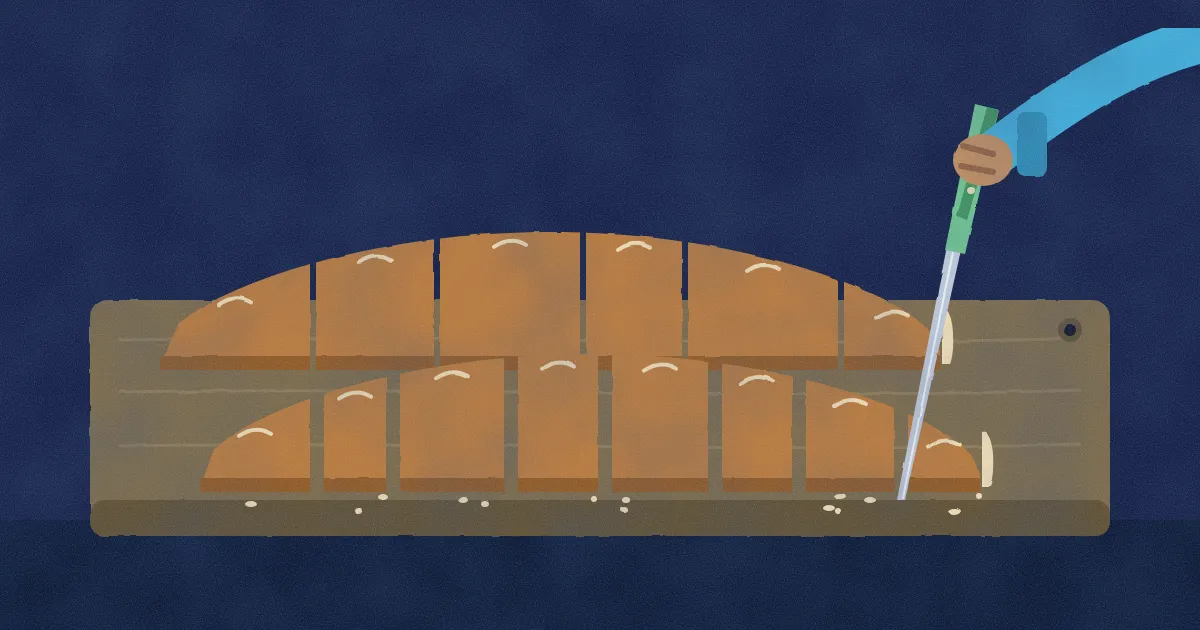
If you use ChatGPT, Claude or Gemini at work, you write to them in words, but these models don't read words: they read tokens. Tokens measure how much text fits in a conversation, and tokens are what you pay for. This post explains what a token is and five things that follow from it: why Spanish tends to use more tokens than English, why the answer costs more than the question, why message 20 of a chat costs more than message 1, what caching saves, and how to measure before you pay. All the example code, with its tests, can be downloaded from the tokens-explained repository at NippysoftLabs.
First, the words that keep coming up. AI is artificial intelligence. An LLM (large language model) is what sits behind ChatGPT, Claude and Gemini. A prompt is the text you send the model. The tokenizer is the program that cuts that text into tokens and turns each one into a number. An API is the door a program uses to reach the model: that's where you pay per token, and prices are given in US dollars (USD) per million tokens. Chat apps are paid by plan and don't bill per token, but they have usage limits too.
The figures come from a run of the repo and from pricing pages checked on November 12, 2026. Prices change, so check them again.
With the same model, these four things move the bill. The figures come from the example explained below:
| What moves the bill | How much in the example |
|---|---|
| Language | 148 tokens in Spanish against 128 in English, across five short texts |
| The answer | Output costs five times input in the three models in the pricing table |
| The chat history | Turn 20 costs almost four times the first; the whole chat, 3.5 times what you get charging each turn only for its message and answer |
| Caching, which lowers it | The same chat costs 61.5% less |
What a token is: the pieces text is cut into
Pieces from a fixed vocabulary
A model doesn't read letters or words: it reads numbers. The tokenizer cuts text into pieces taken from a fixed vocabulary and gives each piece its number. Each piece is a token, and it can be a whole word, part of a word, a space with the word after it, a punctuation mark or even part of a character, as happens with some emoji. This matters in practice because limits and prices are counted in tokens, not words.
Think of a set of building blocks. The shapes people build most come as a single block, and rare ones are put together from several small blocks. Words work the same way, and what gets counted is the blocks.
Why not whole words or single letters
A vocabulary of whole words is never enough, because new or rare words keep showing up. One of single letters covers everything but makes very long sequences. The most common technique sits in between: BPE (byte pair encoding). It was first built to compress text, and in 2015 Sennrich, Haddow and Birch used it to split rare words into smaller pieces. It starts from single characters and keeps merging the pairs that repeat most, so words that are frequent in the texts the vocabulary was built from end up as one piece, and rare ones as several.
Counting words or counting tokens
Before, a prompt's size is estimated by counting words, the way a person reads it. The same request, counted both ways:
public void Before_words_are_not_tokens()
{
    const string prompt = "Summarize this contract in five points and point out the penalty clauses for late delivery.";

    Assert.Equal(15, WordEstimate.Count(prompt));
    Assert.Equal(18, Counter.Count(prompt));
}
That's 15 words and 18 tokens. After, Counter, a TokenCounter, counts with o200k_base, a public OpenAI encoding that ships with its tiktoken library, and Pieces shows where it cuts. In English, the first word already splits into three. In Spanish, the same request has 17 words and 21 tokens, and three long words split:
15 words, 18 tokens: [Summ] | [ar] | [ize] | [ this] | [ contract] | [ in] | [ five] | [ points] | [ and] | [ point] | [ out] | [ the] | [ penalty] | [ clauses] | [ for] | [ late] | [ delivery] | [.]
17 words, 21 tokens: [Resume] | [ este] | [ contrato] | [ en] | [ cinco] | [ puntos] | [ y] | [ señala] | [ las] | [ cláus] | [ulas] | [ de] | [ penal] | [ización] | [ por] | [ retras] | [o] | [ en] | [ la] | [ entrega] | [.]
How to know the count is right
The count matches Microsoft's: its documentation counts a sample sentence with the gpt-5 model and gets 16 tokens, the same as the repo.
What the example doesn't cover: the count is for o200k_base, not for Claude or Gemini, which use their own tokenizers. Anthropic warns that from Claude Opus 4.7 on, the same text gives about 30% more tokens than on its earlier models. The repo counts plain text, and a real request adds tokens for message roles, tools (the outside functions the model can ask to run), images and files. And counting a long stretch with no spaces, such as a file pasted as encoded text, is slow, because the time grows with the square of its length, so the repo rejects more than 10,000 characters in a row without spaces instead of counting them.
OpenAI sums it up in its help center: "A token can represent a character, part of a word, a whole word, or punctuation". It gives rules of thumb for English only, such as "1 token is approximately 4 characters" and "100 tokens are approximately 75 words", and warns that "other languages can have different relationships between characters, words, and tokens". Google gives a different rule: "100 tokens is equal to about 60-80 English words".
Why Spanish tends to use more tokens than English
Same content, more pieces
The same content in Spanish tends to be cut into more tokens than in English. More tokens means it costs more and fills the context window sooner, the space of text the model can keep in view in one request. It's worth knowing so you don't estimate Spanish text with rules made for English.
Two suitcases carry the same clothes. In one, the clothes are folded the way the suitcase's designer would fold them; in the other, a different way. The second takes more room while holding the same things.
Where the difference comes from
The vocabulary is built from the pairs that repeat most in the texts the tokenizer is trained on, and a word that's rare in those texts ends up in several pieces. A study by Petrov, La Malfa, Torr and Bibi, presented at NeurIPS 2023, shows that the gap between languages starts there, before the model runs, and that it shows up in cost, in waiting time and in how much text fits.
Five texts in both languages
There's no before here: the repo counts five short texts in both languages with the same tokenizer. Two are articles of the Universal Declaration of Human Rights, copied as is from the UN's page, and three were written for the repo:
text              words es  words en  tokens es  tokens en  es/en
udhr-article-1          28        30         38         33   1.15
udhr-article-3          17        11         19         13   1.46
support-reply           29        33         38         38   1.00
meeting-summary         26        23         32         26   1.23
prompt                  17        15         21         18   1.17
all                                         148        128   1.16
In total, that's 148 tokens in Spanish against 128 in English. Article 1 has fewer words in Spanish than in English, 28 against 30, and still more tokens, 38 against 33: words and tokens don't move together. And it doesn't always happen, since the customer reply is a tie.
The bill doesn't warn you
The bill counts tokens, not languages. What the example doesn't cover: these are five short texts and a single tokenizer. The ratio goes from 1.00 to 1.46, and it isn't a measure of the language in general; to know what your case uses, count your own texts.
The study by Petrov and others puts it this way: "disparity in the treatment of different languages arises at the tokenization stage".
Input and output: why the answer costs more than the question
Two prices on every request
Input is everything sent to the model: instructions, documents, the history and the question. Output is what the model writes. APIs charge each one at its own price. These are the prices of one model from each provider, in USD per million tokens, checked on November 12, 2026:
| Model | Input | Output | Cache read |
|---|---|---|---|
| Claude Sonnet 5.5 (Anthropic) | 2 | 10 | 0.10 |
| gpt-6.1-sol (OpenAI) | 2 | 10 | 0.10 |
| Gemini 4 Carbon (Google) | 2 | 10 | 0.10 |
An equal price per million doesn't mean the same document costs the same: each provider cuts text with its own tokenizer, and the same text can give a different number of tokens. To compare, count the same document with each provider's counter, explained at the end, and multiply by its price.
In all three, output costs five times input, and the same holds for every Anthropic model and for OpenAI's main models; on other OpenAI models, such as chat-latest, output costs 6 times input. Gemini 4 Carbon goes up on December 1, 2026, to 4 for input and 20 for output, and the ratio stays the same. Models that reason before answering bill that reasoning as output, even though it doesn't show in the answer.
Why writing is slower than reading
There's a technical reason, though no provider gives it as the reason for its price. To read the input, the model processes all the tokens at once. To write, it generates one token after another, and each step is held back by memory speed rather than computing power, so the graphics card gets less done than when reading.
Reading a one-page letter takes you a minute; copying it out by hand, word by word, takes ten. If you were paid by the hour, copying would cost ten times as much.
One price falls short
Before, the cost is worked out with a single price, the input one:
/// <summary>
/// BEFORE: prices every token the same, at the input price shown first on the pricing page.
/// Output tokens cost more than input tokens, so a long answer is underestimated.
/// </summary>
public static class FlatPriceCost
{
    public static decimal Of(long inputTokens, long outputTokens, Price price)
    {
        ArgumentNullException.ThrowIfNull(price);
        return (inputTokens + outputTokens) * price.InputPerMillion / 1_000_000m;
    }
}
After, each kind of token gets its own price, including the cache ones covered further down:
/// <summary>AFTER: each kind of token at its own price.</summary>
public static class RequestCost
{
    public static decimal Of(Usage usage, Price price)
    {
        ArgumentNullException.ThrowIfNull(usage);
        ArgumentNullException.ThrowIfNull(price);
        usage.Validate();
        price.Validate(); // a Price built in code skips PriceList, which is where prices are otherwise checked
        return Price.Cost(usage.Input, price.InputPerMillion)
             + Price.Cost(usage.Output, price.OutputPerMillion)
             + Price.Cost(usage.CacheRead, price.CacheReadPerMillion)
             + Price.Cost(usage.CacheWrite, price.CacheWritePerMillion ?? price.InputPerMillion);
    }
}
With 1,000 input tokens and 2,000 output tokens on Claude Sonnet 5.5, the before calculation gives 0.006 USD and the after one 0.022 USD. The difference is in the answer, which is the expensive part.
The two counters in every response
In production, every response carries input_tokens and output_tokens, and each is billed at its own price. The repo rejects a price that doesn't say which page it came from or what day it was checked, or that is negative, when reading config/prices.json and before every calculation; when reading the file it also rejects a price written as text. What the example doesn't cover: the prices were copied by hand and leave out batch discounts, long-context prices and taxes, and the calculation doesn't count reasoning.
OpenAI says it plainly: "Input, cached input, and output tokens can have different prices". And on reasoning: "Reasoning tokens are not visible as answer text, but they count toward output usage and are billed as output tokens". NVIDIA explains the writing side: the model "generates output tokens autoregressively one at a time", and adds: "In other words, this is a memory-bound operation."
In a chat, every message sends the whole conversation again
The model doesn't remember: it gets everything again
The model remembers nothing from one request to the next. For it to follow the thread, every turn passes it the instructions, the earlier messages and answers, and the new message again, and all of that is billed as input once more. That's why message 20 costs more than message 1, even if it's just as short. It's worth knowing when deciding to start another chat.
Picture a call center that keeps no record of your calls. Each time you call, you have to tell the whole story from the start, and call 20 runs longer than the first one.
Who keeps the conversation
In the basic form of the APIs, the conversation is kept by whoever calls, the app or your program, and sent in full on every turn; Anthropic documents it that way. OpenAI can also keep it on its server and chain answers with previous_response_id, but it adds that even then the earlier input tokens are billed again. Apps send no bill, but Claude's help center says long conversations use more of the usage limit. For ChatGPT and Gemini as apps, we found no source that says so.
A 20-turn chat
The example is a 20-turn chat with 1,000-token instructions, 60-token messages and 400-token answers. Those sizes are assumed for the example, not measured. Before, each turn is charged only for its message and its answer, as if the model remembered the rest:
/// <summary>
/// BEFORE: charges each turn only for the new message and its answer, as if the model remembered the
/// rest of the chat. The API sends the whole conversation again on every turn, so this undercounts.
/// </summary>
public static class NaiveChatCost
{
    public static IReadOnlyList<TurnCost> Run(int systemTokens, IReadOnlyList<Turn> turns, Price price)
    {
        ArgumentNullException.ThrowIfNull(turns);
        return turns
            .Select((turn, i) =>
            {
                var usage = new Usage(Input: (i == 0 ? systemTokens : 0) + turn.UserTokens, Output: turn.AssistantTokens);
                return new TurnCost(i + 1, usage, RequestCost.Of(usage, price));
            })
            .ToList();
    }
}
After, each turn sends everything before it plus the new message:
public static IReadOnlyList<TurnCost> Run(int systemTokens, IReadOnlyList<Turn> turns, Price price, bool useCache)
{
    ArgumentNullException.ThrowIfNull(turns);
    ArgumentNullException.ThrowIfNull(price);
    ArgumentOutOfRangeException.ThrowIfNegative(systemTokens);
    price.Validate();

    var result = new List<TurnCost>(turns.Count);
    long history = systemTokens; // what every later request sends again
    long cached = 0;             // the prefix already in the cache
    for (var i = 0; i < turns.Count; i++)
    {
        var turn = turns[i] ?? throw new ArgumentException($"Turn {i + 1} is null.", nameof(turns));
        ArgumentOutOfRangeException.ThrowIfNegative(turn.UserTokens, $"turns[{i}].UserTokens");
        ArgumentOutOfRangeException.ThrowIfNegative(turn.AssistantTokens, $"turns[{i}].AssistantTokens");

        var sent = history + turn.UserTokens;
        var usage = useCache && sent >= price.MinCacheableTokens
            ? new Usage(Input: 0, Output: turn.AssistantTokens, CacheRead: cached, CacheWrite: sent - cached)
            : new Usage(Input: sent, Output: turn.AssistantTokens);
        if (useCache && sent >= price.MinCacheableTokens) cached = sent;

        result.Add(new TurnCost(i + 1, usage, RequestCost.Of(usage, price)));
        history = sent + turn.AssistantTokens;
    }
    return result;
}
With Claude Sonnet 5.5 prices, the run gives this table. The cache column is explained in the next section:
Chat of 20 turns: system prompt 1000 tokens, each message 60, each answer 400 (assumed sizes).
Prices: claude-sonnet-5-5, USD per million tokens: input 2, output 10, cache write 2.5, cache read 0.1 (https://platform.claude.com/docs/en/about-claude/pricing, checked 2026-11-12).
turn  input sent       cost  naive cost  cached cost
   1        1060   0.006120    0.006120     0.006650
   2        1520   0.007040    0.004120     0.005256
   5        2900   0.009800    0.004120     0.005394
  10        5200   0.014400    0.004120     0.005624
  20        9800   0.023600    0.004120     0.006084
 sum      108600   0.297200    0.084400     0.114380
Turn 1 sends 1,060 input tokens and turn 20 sends 9,800, so turn 20 costs 0.0236 USD, almost four times the first. The whole chat sends 108,600 input tokens and costs 0.2972 USD, 3.5 times what the before calculation says. Since each turn sends a bit more than the one before, the total grows with the square of the number of turns.
Besides the cost, a long history fills the context window, as explained in why AI forgets your rules.
The input that grows with every response
In production, each response's total input grows turn by turn: that's the sign the chat is getting more expensive. In OpenAI it's input_tokens; in Claude you add up input_tokens, cache_read_input_tokens and cache_creation_input_tokens, because with caching input_tokens only counts what was neither read from nor written to the cache. What the example doesn't cover: the simulator doesn't stop when the context window fills up. With 1,000 turns of 2,000-token messages and 2,000-token answers, the last turn would send almost 4 million tokens, and a real chat app summarizes or drops old messages before it gets there.
Anthropic writes: "The Messages API is stateless, which means that you always send the full conversational history to the API". OpenAI: "each text generation request is independent and stateless". And Claude's help center, about the apps: "Longer conversations that trigger automatic context management consume more of your usage limit."
Prompt caching: what repeats at the start costs less
The start has to match exactly
If the start of a request is identical to that of a recent request, the provider reuses that work and charges those tokens far less. In a chat, everything before repeats on every turn, so it's a good fit. The start has to be identical: changing something at the beginning, such as the date and time in the instructions, the order of the tools or a space, is enough for it not to match.
The waiter who knows your usual order doesn't write it down if you ask for it the same way. Change the order of the words and they take it from scratch.
Each provider's rules
So you don't pay or wait twice for the same start: long instructions, documents or the history. Each provider sets its own rules:
- Anthropic: writing to the cache costs 1.25 times input if it lasts 5 minutes, or 2 times if it lasts an hour. Reading it costs 0.1 times on most models and less on some, such as 0.05 on Sonnet 5.5 and Opus 5.5. With the 5-minute cache, a single read already pays off. It needs at least 512 tokens on Fable 5.2, Opus 5.5, Sonnet 5.5 and Haiku 5.5, and below that it stores nothing and returns no error.
- OpenAI: caching is on by default, with discounts of up to 95% and a minimum of 1,024 tokens from GPT-5.6 on.
- Google: automatic (implicit) caching is on by default from Gemini 2.5 on, with a minimum of 4,096 tokens on Gemini 4. It publishes no write price for that cache.
The same chat with caching
Before, the chat without cache from the table above. After, the same ChatSimulator with caching on: each turn reads from the cache what the previous turn sent and writes the rest. The two runs, side by side:
public void With_cache_the_first_turn_costs_more_and_the_chat_costs_less()
{
    var plain = ChatSimulator.Run(SystemTokens, Turns, Sonnet, useCache: false);
    var cached = ChatSimulator.Run(SystemTokens, Turns, Sonnet, useCache: true);

    Assert.Equal(new Usage(Input: 0, Output: 400, CacheRead: 0, CacheWrite: 1_060), cached[0].Usage);
    Assert.Equal(new Usage(Input: 0, Output: 400, CacheRead: 1_060, CacheWrite: 460), cached[1].Usage);
    Assert.Equal(0.00665m, cached[0].Cost);          // writing costs 1.25 times the input price
    Assert.True(cached[0].Cost > plain[0].Cost);
    Assert.Equal(0.11438m, cached.Sum(t => t.Cost));
    Assert.Equal(plain.Select(t => t.Usage.TotalInput), cached.Select(t => t.Usage.TotalInput));
}
Turn 1 costs more with the cache, 0.00665 USD against 0.00612, because writing costs 1.25 times input. From turn 2 on, the earlier part is read from the cache, and turn 20 costs 0.006084 USD against 0.0236. The whole chat drops to 0.11438 USD, 61.5% less. The tokens sent are the same; what changes is the price.
How much came from the cache
In production, every response tells you: cache_read_input_tokens in Claude and cached_tokens in OpenAI count what came from the cache. What the example doesn't cover: the simulator follows Claude's rules and assumes the cache doesn't expire between turns, when it lasts 5 minutes. Since Gemini publishes no write price, the repo charges that write as input.
Anthropic is clear about it: "Cache hits require 100 percent identical prompt segments". OpenAI: "Cache reuse requires the entire rendered prefix to match". And Google: "Implicit caching is enabled by default for all Gemini 2.5 and newer models."
How to measure before you pay
Count the input and cap the output
Measuring means counting the input before sending it and capping the output. The input can be counted with a counting endpoint, an API address that only counts a text's tokens without sending it to the model: Anthropic has /v1/messages/count_tokens and OpenAI /v1/responses/input_tokens, both free, and Google has count_tokens, though its page doesn't say whether it charges. Anthropic's count is an estimate and can differ slightly from actual usage. The output can't be counted in advance, because nobody knows how much the model will write. That's why a request carries a cap, max_tokens in Claude and max_output_tokens in OpenAI, and the worst case is worked out from that cap.
Before the garage opens up the engine, you ask for a quote and a ceiling: if it goes over that, call me first.
Why the response's usage isn't enough
Because the bill comes afterwards. Each response carries its usage, with input_tokens and output_tokens, but that tells you what was already spent. To decide before spending, you need the input count and the output cap.
A budget per request
The case is turn 20 of the chat, with 9,800 input tokens and a limit of 0.02 USD per request. Before, the budget looks at the input only:
/// <summary>
/// BEFORE: checks the budget with the input alone. The answer is billed too, at a higher price,
/// so a request that passes this check can still go over the limit.
/// </summary>
public static class InputOnlyBudget
{
    public static bool Allows(long inputTokens, Price price, decimal limitUsd)
    {
        ArgumentNullException.ThrowIfNull(price);
        return inputTokens * price.InputPerMillion / 1_000_000m <= limitUsd;
    }
}
The input alone costs 0.0196 USD, so it passes. After, the most the answer can cost is added, with a cap of 4,000 tokens:
/// <summary>
/// AFTER: checks a request before it is sent. The input is known (count it first); the output is not,
/// so the check assumes the model writes up to maxOutputTokens, the cap the request sets (max_tokens).
/// </summary>
public static class RequestBudget
{
    public static BudgetDecision Check(long inputTokens, int maxOutputTokens, Price price, decimal limitUsd)
    {
        ArgumentNullException.ThrowIfNull(price);
        ArgumentOutOfRangeException.ThrowIfNegative(inputTokens);
        // Without an output cap there is no worst case to compute, so the request is not allowed.
        ArgumentOutOfRangeException.ThrowIfNegativeOrZero(maxOutputTokens);
        ArgumentOutOfRangeException.ThrowIfNegative(limitUsd);

        var worstCase = RequestCost.Of(new Usage(inputTokens, maxOutputTokens), price);
        return worstCase <= limitUsd
            ? new BudgetDecision(true, worstCase, "within the limit")
            : new BudgetDecision(false, worstCase, $"up to {worstCase:0.######} USD, over the limit of {limitUsd:0.######} USD");
    }
}
The demo prints both decisions:
Budget 0.02 USD for turn 20 with max_tokens 4000: input only says allowed; worst case says refused (up to 0.0596 USD, over the limit of 0.02 USD).The worst case is 0.0596 USD and the request is refused. Without an output cap there's no worst case to work out, so the check throws an exception instead of letting the request through.
What actual usage confirms
In production, each response's usage tells you whether the worst case held.
OpenAI warns: "An input count does not predict how many output tokens the model will generate". And Anthropic, about its count: "Token counting is free to use but subject to requests per minute rate limits".
Pocket summary
| Idea | What happens | What to do |
|---|---|---|
| Token | You pay for pieces of text, not words | Count with the tokenizer of the model you use |
| Language | Spanish tends to give more tokens than English | Measure with your own texts |
| Input and output | Output costs more than input | Cap the answer |
| Long chat | Every turn pays for everything before it again | A new chat per topic, with a summary |
| Cache | What repeats at the start costs less | Fixed parts first, changing parts last |
| Measure | Output can't be counted in advance | Count the input and work out the worst case |
Run with the .NET SDK 10.0.401 and the Microsoft.ML.Tokenizers 2.0.1 library, with no network and no AI account: the tokenizer runs on the machine.
Conclusion
A token is a piece of text, and tokens measure what fits in a conversation and what you pay. To pick a model for each task, go on to which Claude model per task. To try it with your own texts, clone the repository and run dotnet test; the demo, dotnet run --project tools/TokensDemo, prints the tables in this post.
References
- Understanding and counting tokens, OpenAI Help Center (help.openai.com)
- Using the Messages API, Anthropic (platform.claude.com)
- Token counting, Anthropic (platform.claude.com)
- Prompt caching, Anthropic (platform.claude.com)
- Use Microsoft.ML.Tokenizers for text tokenization, Microsoft Learn (learn.microsoft.com)
- Neural Machine Translation of Rare Words with Subword Units, Sennrich, Haddow and Birch, ACL 2016 (arxiv.org)
- Language Model Tokenizers Introduce Unfairness Between Languages, Petrov, La Malfa, Torr and Bibi, NeurIPS 2023 (arxiv.org)
- Mastering LLM Techniques: Inference Optimization, NVIDIA Technical Blog, 2023 (developer.nvidia.com)
Tags
Share this post
Subscribe
Get the latest posts delivered right to your inbox.



Leave a comment