Artificial Intelligence
Claude Code Hooks: What They Are and How to Use Them
A CLAUDE.md can say "don't run rm -rf" or "run the tests before you finish", and Claude follows it almost every time. "Almost" is not good enough when the rule protects data, a shared branch or your git history. The documentation says so itself: Claude treats those instructions "as context, not enforced configuration", and to block an action regardless of what Claude decides, it points you to a hook.
This guide covers what a hook is, which events exist, where hooks are configured, what the script receives and how it blocks. Then come four Node examples tested in real Claude Code 2.1.318 sessions: stopping destructive commands, requiring green tests before Claude finishes, formatting every file Claude edits, and blocking Claude's Co-Authored-By in commits. Each example reports what happened in the session: what Claude tried and what stopped or corrected it. It ends with how to test them and what they don't cover.
What a hook is, and how it differs from CLAUDE.md
The official guide describes hooks as user-defined shell commands that Claude Code runs at specific points in its lifecycle. What they buy you is deterministic control: the action always happens, instead of relying on the model to choose to run it. CLAUDE.md, by contrast, reaches the model as text. It shapes behavior, but the docs say plainly it is not a hard enforcement layer; that job belongs to hooks and settings rules, which the client applies itself.
Besides command, which runs a shell command and is the type this guide uses, the hooks reference supports http handlers (an endpoint), mcp_tool (a tool on an MCP server), prompt (a model makes the call) and agent (a subagent, still experimental).
A rule of thumb: if ignoring the instruction just gives you a worse result, CLAUDE.md is enough. If it leaves damage someone has to undo by hand, like a commit with the wrong authorship or a deleted folder, it belongs in a hook.
When hooks fire: the events
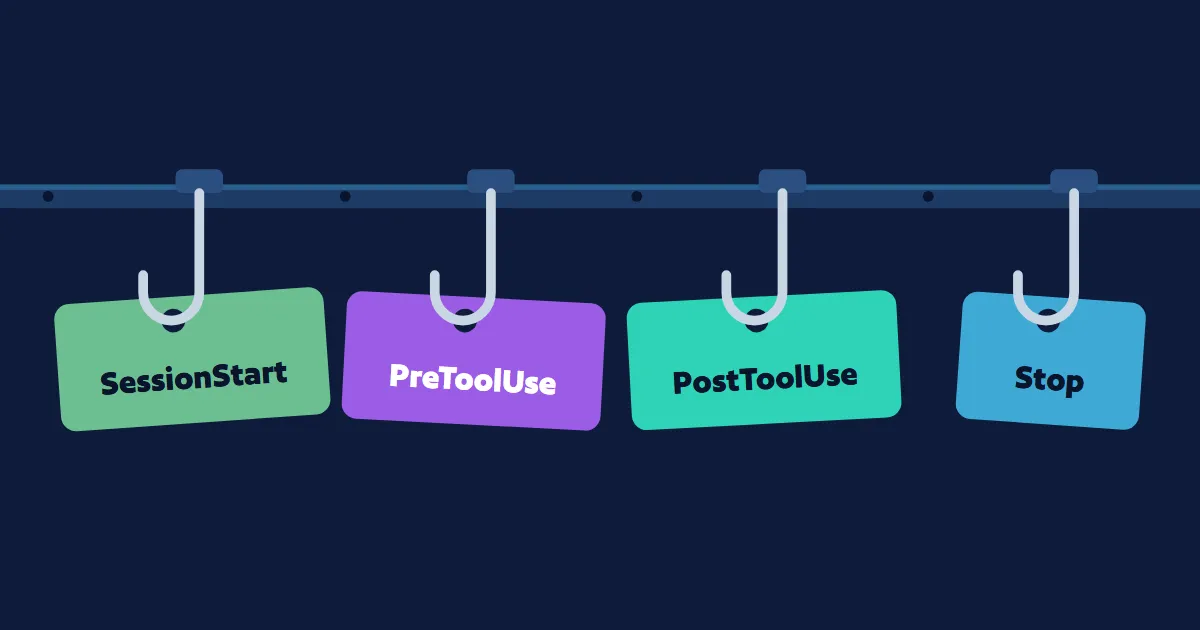
Events run at three cadences: per session (SessionStart and SessionEnd), per turn (UserPromptSubmit, Stop and StopFailure), and on every tool call (PreToolUse and PostToolUse). The cadence sets your time budget: a tool hook runs every time Claude reads, edits or executes something, and a slow one drags down the whole session.
Eight events cover nearly every use:
- SessionStart: when a session opens or resumes. Its stdout becomes context, and it gets
CLAUDE_ENV_FILEto persist variables for later commands (so doSetup,CwdChangedandFileChanged). - UserPromptSubmit: before Claude processes your prompt. With exit 2, the prompt never reaches it.
- PreToolUse: before every tool call. This is the gatekeeper: if it blocks, the call doesn't happen.
- PermissionRequest: when a call asks for permission. It decides through its
decisionobject, not exit 2. - PostToolUse: after a successful call. It can't undo anything, but it can hand Claude an error.
- Stop: when Claude finishes responding. If it blocks, Claude keeps working.
- PreCompact: before the context is compacted; it can prevent it.
- SessionEnd: on close. All its hooks share a 1.5-second budget.
Here is the full list as of November 2026, in Claude Code 2.1.318. It grows from release to release, so check it against the reference.
| Event | When it fires | Blocks with exit 2? |
|---|---|---|
SessionStart | When a session starts or resumes | No (stderr is shown only to the user) |
Setup | With --init-only, or with --init or --maintenance in -p mode; one-time setup in CI or scripts | No |
InstructionsLoaded | When a CLAUDE.md or .claude/rules/*.md file is loaded | No |
UserPromptSubmit | When you submit a prompt, before Claude processes it | Yes: the prompt never reaches Claude |
UserPromptExpansion | When a command you type expands into a prompt | Yes |
MessageDisplay | While assistant text is displayed | No |
PreToolUse | Before a tool call runs | Yes: blocks the call |
PermissionRequest | When a call needs a permission decision | Not with exit 2 (yes with the decision object) |
PermissionDenied | When auto mode denies a call | No |
PostToolUse | After a tool finishes successfully | No (shows stderr to Claude; it already ran) |
PostToolUseFailure | After a tool fails | No |
PostToolBatch | After a batch of parallel calls resolves | Yes: stops the loop |
Notification | When Claude Code sends a notification | No |
SubagentStart | When a subagent is launched | No |
SubagentStop | When a subagent finishes | Yes: keeps it from stopping |
TaskCreated | When a task is created with TaskCreate | Yes: rolls back the creation |
TaskCompleted | When a task is marked as completed | Yes |
Stop | When Claude finishes responding | Yes: Claude keeps working |
StopFailure | When the turn ends because of an API error | No |
TeammateIdle | When a teammate in an agent team is about to go idle | Yes |
ConfigChange | When a configuration file changes during the session | Yes (except policy_settings) |
CwdChanged | When the working directory changes | No |
DirectoryAdded | When a directory is added with /add-dir | No |
FileChanged | When a watched file changes on disk | No |
WorktreeCreate | When a worktree is created | Yes (any non-zero code) |
WorktreeRemove | When a worktree created by the previous hook is removed | Yes (any non-zero code) |
PreCompact | Before the context is compacted | Yes |
PostCompact | After compaction | No |
PreModelSwitch | Before a requested model change is applied | Yes |
PostModelSwitch | After the model changes | No |
Elicitation | When an MCP server asks the user for input | Yes: rejects the request |
ElicitationResult | After the user responds, before the answer goes to the server | Yes |
SessionEnd | When the session ends | No |
Where hooks are configured
| Location | Where it applies |
|---|---|
~/.claude/settings.json | All your projects; stays on your machine |
.claude/settings.json | One project; can be committed to the repo |
.claude/settings.local.json | One project; gitignored when Claude Code saves a setting to it |
| Managed policy settings | The whole organization; controlled by an admin |
A plugin's hooks/hooks.json | While the plugin is enabled |
| Skill frontmatter | The rest of the session once the skill is invoked |
| Subagent frontmatter | While that subagent is running |
Levels merge: user, project and local settings add hooks without removing managed ones, and a handler defined in two files runs once. Cloud sessions don't read ~/.claude/settings.json. In a plugin, the file wraps the events in a top-level "hooks" key.
For a team, that suggests a natural split. What everyone needs, such as formatting or the commit rule, goes in .claude/settings.json, versioned with the code; personal hooks go in ~/.claude/settings.json; whatever the organization won't negotiate goes in managed policy, which the other levels can't remove.
Anatomy of a hook
Event, matcher, handler
The configuration nests three levels: the event, a group with a matcher that filters when it fires, and the handlers that run. This block attaches a script to every Bash or PowerShell call:
{
  "hooks": {
    "PreToolUse": [
      {
        "matcher": "Bash|PowerShell",
        "hooks": [
          {
            "type": "command",
            "command": "node",
            "args": ["${CLAUDE_PROJECT_DIR}/.claude/hooks/block-dangerous.js"]
          }
        ]
      }
    ]
  }
}
With args, the hook uses exec form: Claude Code resolves command on the PATH and spawns it with no shell, using args as the argument vector. node plus a script path works on every platform, because node.exe is a real binary. Other useful fields: timeout, in seconds (600 by default for command); if, which takes a single permission rule, with no && or ||; and onFailure, which decides whether the action goes ahead when the hook fails ("continue" or "block", since v2.1.295).
Matchers
"*", an empty string or no matcher at all match everything. If the matcher holds only letters, digits, _, -, spaces, , and |, it is a list of exact names. Any other character makes it an unanchored JavaScript regular expression: Edit.* also catches NotebookEdit, and an exact match needs ^Edit$. Tool events compare it with the tool name; SessionStart compares it with how the session started (startup, resume, clear, compact or fork). If an event doesn't support matchers, the field is silently ignored.
Two mistakes come up often. Case matters: bash won't match the Bash tool. And on Windows, Claude Code runs commands through the PowerShell tool by default, so a guard whose matcher is only Bash misses them.
What the script receives
The script reads a JSON object from stdin with common fields, such as session_id, cwd, permission_mode and hook_event_name, plus the event's own: tool_name and tool_input for tool events, where Write and Edit put the absolute path in tool_input.file_path; stop_hook_active and last_assistant_message for Stop. Trimmed down, a PreToolUse input looks like this:
{
  "session_id": "…",
  "cwd": "/repos/app",
  "hook_event_name": "PreToolUse",
  "tool_name": "Bash",
  "tool_input": { "command": "rm -rf build" },
  "tool_use_id": "…"
}
For paths, ${CLAUDE_PROJECT_DIR} points to the project root where the session started and ${CLAUDE_PLUGIN_ROOT} to a plugin's directory. CLAUDE_CODE_REMOTE is "true" in remote web environments. There is no variable for the current model: $CLAUDE_MODEL doesn't exist.
How a hook answers: exit code or JSON
There are two ways to answer, and the docs ask you to pick one per hook: the exit code, or exit 0 plus a JSON object on stdout.
| Output | What Claude Code does |
|---|---|
| exit 0 | No objection. Claude never sees stderr; in UserPromptSubmit, UserPromptExpansion, SessionStart and PostModelSwitch, stdout becomes context. |
| exit 2 | Blocks on events that can block, and stderr is the reason. It holds even if the hook printed JSON. |
| Any other code, no valid JSON | Non-blocking error: the action goes ahead. Same if the hook doesn't start or prints invalid JSON. |
| exit 0 with JSON | In PreToolUse, hookSpecificOutput.permissionDecision (allow, deny, ask or defer) with a reason; in Stop, PostToolUse and others, decision: "block" with a reason. |
When several hooks match, every one runs to completion before the results are merged, and for PreToolUse the most restrictive decision wins, in the order deny, defer, ask, allow. A deny blocks even in bypassPermissions mode, and an allow doesn't bypass deny rules from settings.
The catch is the third row. If a guard script crashes, because a JSON.parse throws or node isn't on the PATH, the action goes through. That is what onFailure: "block" is for on hooks that protect something. But onFailure covers a script that crashes, not polluted stdout: a debug console.log before the JSON turns it into plain text, which doesn't count as a failure, and the deny is lost. Debug output goes to stderr.
Four tested examples
All four are Node scripts in exec form, with no jq. We tested them on Windows 11 with Claude Code 2.1.318, in real sessions on a throwaway project, with no CLAUDE.md and in bypassPermissions mode, to confirm the hook still wins. We didn't run them on macOS or Linux. The four hooks get along: in the sessions for examples 1, 3 and 4, the Stop hook ran at the end without blocking, and in the example 2 session the formatter ran after every edit. This .claude/settings.json wires them up:
{
  "hooks": {
    "PreToolUse": [
      {
        "matcher": "Bash|PowerShell",
        "hooks": [
          {
            "type": "command",
            "command": "node",
            "args": ["${CLAUDE_PROJECT_DIR}/.claude/hooks/block-dangerous.js"]
          },
          {
            "type": "command",
            "command": "node",
            "args": ["${CLAUDE_PROJECT_DIR}/.claude/hooks/no-coauthor.js"],
            "onFailure": "block"
          }
        ]
      }
    ],
    "PostToolUse": [
      {
        "matcher": "Edit|Write",
        "hooks": [
          {
            "type": "command",
            "command": "node",
            "args": ["${CLAUDE_PROJECT_DIR}/.claude/hooks/format-after-edit.js"]
          }
        ]
      }
    ],
    "Stop": [
      {
        "hooks": [
          {
            "type": "command",
            "command": "node",
            "args": ["${CLAUDE_PROJECT_DIR}/.claude/hooks/require-green-tests.js", "npm test"],
            "timeout": 300
          }
        ]
      }
    ]
  }
}
1. Block destructive commands
// .claude/hooks/block-dangerous.js
// PreToolUse: denies destructive shell commands with JSON output (permissionDecision "deny").
const RULES = [
  [/\brm\s+-(?:[a-z]*r[a-z]*f|[a-z]*f[a-z]*r)\b/i, "rm -rf"],
  [/\bRemove-Item\b[^\n]*-Recurse\b/i, "Remove-Item -Recurse"],
  [/\bgit\s+push\b[^\n]*(?:--force\b|\s-f\b)/i, "git push --force"],
];
let raw = "";
process.stdin.on("data", (chunk) => (raw += chunk));
process.stdin.on("end", () => {
  const command = JSON.parse(raw).tool_input?.command ?? "";
  const hit = RULES.find(([re]) => re.test(command));
  if (hit) {
    console.log(JSON.stringify({
      hookSpecificOutput: {
        hookEventName: "PreToolUse",
        permissionDecision: "deny",
        permissionDecisionReason: `Blocked by hook: "${hit[1]}" is not allowed in this project. Ask the user to run it.`,
      },
    }));
  }
  process.exit(0); // no JSON, no decision: the normal permission flow goes on
});
It answers with JSON; example 4 uses exit 2, so you see both styles. Run by hand, it denies rm -rf build, Remove-Item ./dist -Recurse -Force and git push --force origin main, and lets rm notas.txt and git push origin main through. In a real session with bypassPermissions, Claude tried an rm -rf and got back:
PreToolUse:PowerShell hook error: Blocked by hook: "rm -rf" is not allowed in this project. Ask the user to run it.It is a list of patterns, and an alias, a script or another language can slip past it. Treat it as a safety net, not a sandbox, and add deny rules in settings.
2. A Stop hook that requires green tests
// .claude/hooks/require-green-tests.js
// Stop: keeps Claude from ending its turn while the tests fail.
// Usage in args: [path to this script, "test command"], e.g. "npm test".
const { spawnSync } = require("node:child_process");
const testCommand = process.argv[2] || "npm test";
let raw = "";
process.stdin.on("data", (chunk) => (raw += chunk));
process.stdin.on("end", () => {
  const input = JSON.parse(raw);
  const run = spawnSync(testCommand, { cwd: input.cwd, shell: true, encoding: "utf8" });
  if (run.status === 0) process.exit(0); // tests pass: Claude may finish
  const tail = `${run.stdout}\n${run.stderr}`.trim().split("\n").slice(-20).join("\n");
  console.log(JSON.stringify({
    decision: "block",
    reason: `The test command "${testCommand}" failed. Fix the code (not the tests) until it passes.\n${tail}`,
  }));
  process.exit(0);
});
In the test, sum.js had a bug (a - b) and the prompt only asked for one more line in the README. Claude added it, tried to stop, and got The test command "npm test" failed. Fix the code (not the tests) until it passes. with expected: 5 actual: -1. It changed the code to a + b, ran npm test green and signed off with "I didn't touch the test file."
- Loops: the script ignores
stop_hook_activeon purpose, because honoring it would let Claude stop with red tests on the second try. Claude Code sets the limit: after eight consecutive continuations it overrides the next block and ends the turn, and the count resets each time Claude calls a tool. To give in sooner, exit 0 whenstop_hook_activeistrue. - Cost:
Stopfires at the end of every response, not only when a task is done, so the suite runs even when you're just chatting. This hook calls for a fast suite;timeout: 300leaves room for a slow one.
3. Format every file Claude edits
// .claude/hooks/format-after-edit.js
// PostToolUse (Edit|Write): runs Prettier on the file Claude just edited.
const { spawnSync } = require("node:child_process");
const path = require("node:path");
let raw = "";
process.stdin.on("data", (chunk) => (raw += chunk));
process.stdin.on("end", () => {
  const input = JSON.parse(raw);
  const file = input.tool_input?.file_path;
  if (!file) process.exit(0);
  // The project's Prettier, run with node and no shell: paths with spaces arrive whole.
  const prettier = path.join(input.cwd, "node_modules", "prettier", "bin", "prettier.cjs");
  // --ignore-unknown: files Prettier can't format are skipped without an error.
  const run = spawnSync(process.execPath, [prettier, "--write", "--ignore-unknown", file],
    { cwd: input.cwd, encoding: "utf8" });
  if (run.status !== 0) {
    process.stderr.write(`Prettier failed on ${file}:\n${run.stderr}`);
    process.exit(2); // in PostToolUse this undoes nothing: it only shows Claude the error
  }
  process.exit(0);
});
It does the job of the official example, which uses the same Edit|Write matcher and pipes jq into npx prettier --write, minus jq. It calls the project's Prettier (npm i -D prettier) with node and no shell. With npx and shell: true, a path containing a space, common on Windows, arrived split in two and Prettier failed. In the real session, Claude wrote const name = 'Ana' ;function greet( ){return 'hi '+name} to src dir/greet.js exactly as asked, and the file on disk ended up formatted over four lines.
4. Block Claude's Co-Authored-By in commits
The attribution setting turns off the trailer Claude adds by default, but it doesn't stop Claude from writing one on request, because the trailer lives inside the command. The PreToolUse hook reads the git commit before it runs, exits 2 if it finds Claude's trailer and leaves the reason on stderr. It carries onFailure: "block": if the script fails, the commit doesn't go through. On 2.1.318, a commit with -m "Co-Authored-By: Claude <noreply@anthropic.com>" was blocked and git log showed no new commit.
The script, its tests and its limits are in Block Claude's Co-Authored-By in Git Commits with a Claude Code Hook.
How to test your hooks
- Copy
.claude/settings.jsonand the.claude/hooks/folder into the repo. You need Node, plus Prettier for example 3. - Test each script without Claude by piping JSON into it:
echo '{"tool_input":{"command":"rm -rf build"}}' | node .claude/hooks/block-dangerous.jsmust print thedeny, andecho $?the exit code. - In Claude Code,
/hooksshows what loaded. In an interactive session you first have to accept the workspace trust dialog. - Ask for each case and check the result where it lands: the file on disk,
git logor the test output. - If something doesn't fire, start with
claude --debug(the log goes to~/.claude/debug/<session-id>.txt) and check the matcher, case included.
Limits and security
- Your permissions: a
commandhook runs with your user's full permissions and can read, change or delete any file you can reach. Review and test it before adding it. - Trust: in an interactive session, Claude Code holds hooks back until you accept the trust dialog. With
-por the SDK there is no dialog, and hooks committed in the repo run anyway: in someone else's repo, read its.claude/settings.jsonfirst. - The docs' best practices: validate inputs, quote shell variables, block path traversal, use absolute paths and skip sensitive files.
- Reach: hooks talk only through stdout, stderr and the exit code; they can't trigger
/commands or tool calls. If the text they return passes 10,000 characters, Claude gets a path to a file with the text and a 2,000-character preview. - Off switch:
"disableAllHooks": truedisables them all, except managed hooks unless it is set in managed settings. There is no way to disable a single hook while keeping it in the configuration.
Frequently asked questions
Does a hook replace CLAUDE.md?
No. CLAUDE.md tells the model how to work in the project; a hook enforces one rule on one event. The convention goes in CLAUDE.md, and a rule that can't be allowed to fail also gets a hook.
What happens if the hook script fails?
An exit code other than 0 or 2, a failed start or invalid JSON are non-blocking errors: the action goes ahead, unless the hook has "onFailure": "block".
Do I need to restart Claude Code after changing a hook?
Usually not. The file watcher picks up the changes, and /hooks confirms what loaded.
Conclusion
Hooks are the part of Claude Code that doesn't depend on what the model decides: PreToolUse blocks, Stop keeps the turn open and PostToolUse automates what follows each edit. The price is that every hook is code running with your permissions on every event.
Start with the project rule you'd least like to see broken: turn it into a PreToolUse hook and test it by hand before you open Claude Code. For a complete case, continue with the hook that blocks Claude's Co-Authored-By.
References
- Claude Code, hooks guide — code.claude.com/docs/en/hooks-guide
- Claude Code, hooks reference — code.claude.com/docs/en/hooks
- Claude Code, CLAUDE.md and memory — code.claude.com/docs/en/memory
- Claude Code, plugins reference — code.claude.com/docs/en/plugins-reference
Tags
Share this post
Subscribe
Get the latest posts delivered right to your inbox.



Leave a comment