Cloud & DevOps
Docker vs Kubernetes: what each one does and when Kubernetes is needed
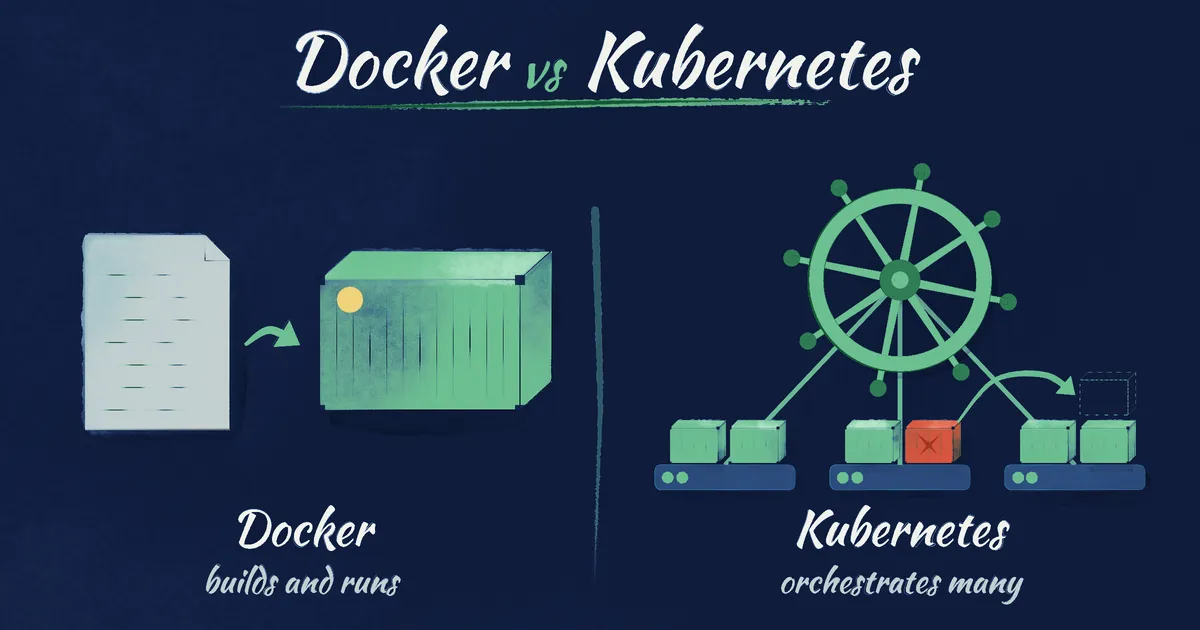
Docker packages an application with everything it needs to start and runs it as a container on one machine. Kubernetes takes those ready-made packages and keeps them running across many machines: how many copies exist, where each one runs, how they find each other and what happens when one fails. They do not compete: Docker builds and runs, Kubernetes orchestrates.
What Docker is
Docker works with four pieces:
- Image: the package with everything a container needs to start: operating system files, the language runtime, dependencies, code and settings. Once built, it never changes.
- Container: an ordinary process on the machine that runs in isolation, started from an image.
- Dockerfile: the recipe the image is built from.
- Registry: the service that stores images and hands them out, such as Docker Hub.
A container is not a virtual machine. Every virtual machine boots its own operating system, kernel included; a container shares the kernel of the machine it runs on and starts like any other process. That is why a Linux container needs a Linux kernel: on macOS and Windows, Docker Desktop runs Linux containers inside a small Linux virtual machine.
The problem it solved
Without containers, an application depends on whatever is installed on each machine. The laptop, the continuous integration server and production can carry different versions of the runtime and the dependencies, and that is where "it works on my machine" comes from. Docker packages the application with everything it needs, so it runs the same way on every machine that has Docker. Solomon Hykes introduced it in March 2013, in a five-minute lightning talk at PyCon.
With a multi-stage build, the Dockerfile has several FROM instructions: one stage compiles and the final one copies only the result, so whatever was needed to compile never reaches production.
What Kubernetes is
Kubernetes is an open source platform for managing containerized workloads and services. A team describes what it wants, for example "three copies of this image, reachable under this name", and Kubernetes works to make what is running match that desired state. If a container fails, it restarts or replaces it; if a container does not answer the health check the team defined, Kubernetes kills it and sends it no traffic until it is ready. It does not compile code or build images, and its documentation says it is not a traditional, all-inclusive PaaS (platform as a service).
A Pod is the smallest unit Kubernetes deploys: one or more containers that share network and storage and run together. A node is a machine, physical or virtual, where Pods run. A cluster is a control plane plus one or more nodes. And on each node, the kubelet makes sure its Pods are running.
The problem that shows up with many containers
With one machine and docker run, whoever operates it has to work out by hand what happens if the container dies or the machine goes down, how to run three copies and spread traffic, how other services find them when their IPs change, how HTTP traffic gets in, how to grow with load and where configuration and secrets live without rebuilding the image. Kubernetes answers each question with an object:
| Need | Kubernetes object |
|---|---|
| N copies that get replaced when they die | Deployment, which creates the Pods through a ReplicaSet |
| A stable name for Pods that come and go | Service |
| Knowing whether a container is alive or ready | Probes: liveness, readiness and startup |
| HTTP traffic from outside | Ingress with an Ingress controller, or Gateway API |
| Growing with load | HorizontalPodAutoscaler (HPA) |
| Configuration and secrets | ConfigMap and Secret |
Where it comes from
Kubernetes was born at Google, among engineers who knew Borg and Omega, two systems used inside the company, and who saw how popular Docker had made containers. The first commit reached GitHub on June 6, 2014, and version 1.0 shipped on July 21, 2015, when Google announced it would donate Kubernetes to the newly formed Cloud Native Computing Foundation (CNCF). As of November 2026, the stable version is 1.37 and the project maintains the 1.37, 1.36 and 1.35 branches.
Why "Docker vs Kubernetes" is the wrong question
The question mixes two layers: Docker produces the image and Kubernetes receives it to operate it. Kubernetes builds nothing, so it always needs an image made beforehand. Three comparisons do put things from the same level side by side.
Compose versus Kubernetes
Docker Compose defines a multi-container application in a YAML file and starts it with a single command, in production too: Docker's documentation says the easiest way to deploy is a single server. The difference is scope: Compose starts the services on one machine; Kubernetes spreads copies across many and replaces them when they fail.
Swarm versus Kubernetes
Swarm mode is built into Docker Engine and manages a cluster of Docker Engines with the same desired-state idea: a service sets replicas, network, storage and ports, and if a node becomes unavailable, Docker schedules its tasks on other nodes. Docker suggests it for scaling a Compose application. It is not Docker Classic Swarm, which is no longer actively developed. This is the direct comparison: two orchestrators.
What runs the containers on each node
On each node, the Kubernetes kubelet asks a runtime to start the containers, through CRI, the Kubernetes container runtime interface. The documentation lists containerd, CRI-O, Docker Engine and Mirantis Container Runtime. Up to version 1.23, Kubernetes shipped dockershim, a direct integration with Docker Engine; it was deprecated in 1.20 and removed from the kubelet in 1.24, released on May 3, 2022. Since then, using Docker Engine as the runtime requires cri-dockerd, an adapter that Mirantis and Docker committed to maintaining.
docker build work the same with containerd or CRI-O.The reason is a standard: images follow the specifications of the Open Container Initiative (OCI), which Docker, CoreOS and other companies launched on June 22, 2015, with three specifications: runtime, image and distribution. Docker donated its container format and runc to the OCI, and runc is today the default runtime underneath containerd (CRI-O has defaulted to crun since version 1.31). And since Docker Engine 29.0, on fresh installations, Docker's default image store is containerd's. The two tools share the OCI format and, when the node runs containerd, containerd and runc as well.
The full path, from code to scaling
An assumed case makes it concrete: the API of an online store that has to stay available and gets more traffic at some hours than at others.
| Step | What it is | Who does it |
|---|---|---|
| 1. Code | The application | The team |
| 2. Dockerfile | The recipe; multi-stage separates compiling from running | Docker (BuildKit) |
| 3. Image | An immutable package in OCI format | docker build |
| 4. Registry | Stores and hands out images | Docker Hub, GHCR, ECR, ACR… |
| 5. Deployment | The desired state: which image and how many copies | Kubernetes |
| 6. Pods on the nodes | The containers that actually run | kubelet with containerd or CRI-O |
| 7. Service | A stable name and IP in front of the Pods | Kubernetes |
| 8. Ingress or Gateway | HTTP traffic in from outside | A controller installed separately |
| 9. HPA | More or fewer Pods depending on load | Kubernetes with Metrics Server |
The team writes the API and a multi-stage Dockerfile, builds the image and pushes it to a registry. The registry is the handoff point between Docker and Kubernetes. A Deployment asks for three copies, for example; the kubelet on each node starts the Pods. Because Pods are ephemeral and a new one comes with a different IP, the rest of the store calls a Service, and outside traffic comes in through an Ingress or through Gateway API.
What the team has to define
- Probes: the liveness probe decides when to restart a container, the readiness probe when it is ready to accept traffic, and the startup probe covers boot. A badly implemented liveness probe can lead to cascading failures.
- Requests: the CPU and memory each container reserves. The HPA computes CPU as a percentage of each container's request, not of the machine, and without a CPU request it does not scale on CPU. The metric is usually served by Metrics Server, installed separately. By default it checks every 15 seconds and, before scaling down, applies a 5-minute stabilization window. With an HPA, the Deployment should not set
replicas: every time it is applied, it undoes what the HPA scaled. - Shutdown: a Pod being removed gets 30 seconds by default to finish. At the same time it starts shutting down, it is marked as terminating and not ready in the Service's EndpointSlices, without being removed right away, and load balancers stop sending it regular traffic. A
preStophook with thesleepaction, stable since 1.34, delays the shutdown by the configured number of seconds; Kubernetes added it as a straightforward way to manage graceful shutdowns.
HTTP ingress in 2026
The Kubernetes documentation declares the Ingress API frozen: it will get no further changes, though there are no plans to remove it, and the project recommends Gateway API. On top of that, Kubernetes retired Ingress NGINX in March 2026: existing installations keep working, but they get no more releases or bug fixes, and the project's statement makes clear that none of the alternatives is a drop-in replacement.
Configuration, secrets and Pod security
Configuration goes in a ConfigMap, which offers no secrecy or encryption and cannot exceed 1 MiB. Sensitive data goes in a Secret, which protects less than its name suggests.
The Secret documentation asks for at least four steps: enable encryption at rest, grant access to Secrets through least-privilege RBAC, restrict which containers can see them and consider an external secret store.
For the Pod, the Restricted profile of the Pod Security Standards requires runAsNonRoot, allowPrivilegeEscalation: false, a seccomp profile (RuntimeDefault or Localhost) and drop: ALL on capabilities. The rest of cluster hardening is in Kubernetes security.
When Kubernetes is not needed
Kubernetes solves problems of many machines and many services, and the price is operating it: the ingress controller and Metrics Server are installed separately, probes and requests have to be designed, and Secrets need extra protection. No official source sets a threshold such as "from N services on", so what follows is judgment:
- Compose is enough for one application, or a few, on one machine with no high-availability requirement.
- Swarm fits when several machines are needed and the team already works with Docker and Compose, since it is built into Docker Engine.
- A PaaS or a managed container service fits when the team does not want to operate infrastructure: it hands over the image and the platform runs it.
- Kubernetes pays off with several machines and several services that need to scale or update without downtime, and a team that can operate it.
The same image serves all four cases, so starting with Compose does not close the door on Kubernetes.
Learning order
Docker comes first, because Kubernetes starts from an image that is already built. This order is judgment; each step uses the one before:
- Container and image.
- Multi-stage Dockerfile.
- Compose: several services on one machine.
- Pod, Deployment and Service.
- Probes and resources.
- ConfigMap and Secret, knowing what each one does not protect.
- Gateway API for new work, and Ingress to understand what already exists.
- HPA, which depends on the requests from step 5.
- Pod security.
Conclusion
Docker and Kubernetes are not alternatives: one leaves the image in the registry and the other picks it up from there. The useful comparison is Compose or Swarm versus Kubernetes, and it comes down to how many machines the service needs and who will operate the cluster. With one machine, Compose is enough. With several and a team, the path in this article works as a map for the first Deployment.
References
- What is a container? (docs.docker.com)
- Docker Compose (docs.docker.com)
- Swarm mode (docs.docker.com)
- Overview (kubernetes.io)
- Updated: Dockershim Removal FAQ (kubernetes.io)
- Horizontal Pod Autoscaling (kubernetes.io)
- Ingress (kubernetes.io)
- Ingress NGINX Retirement: What You Need to Know (kubernetes.io)
Tags
Share this post
Subscribe
Get the latest posts delivered right to your inbox.



Leave a comment