.NET Development
Concurrency in .NET 10: exceptions, cancellation and limits with Task.WhenAll and Parallel.ForEachAsync
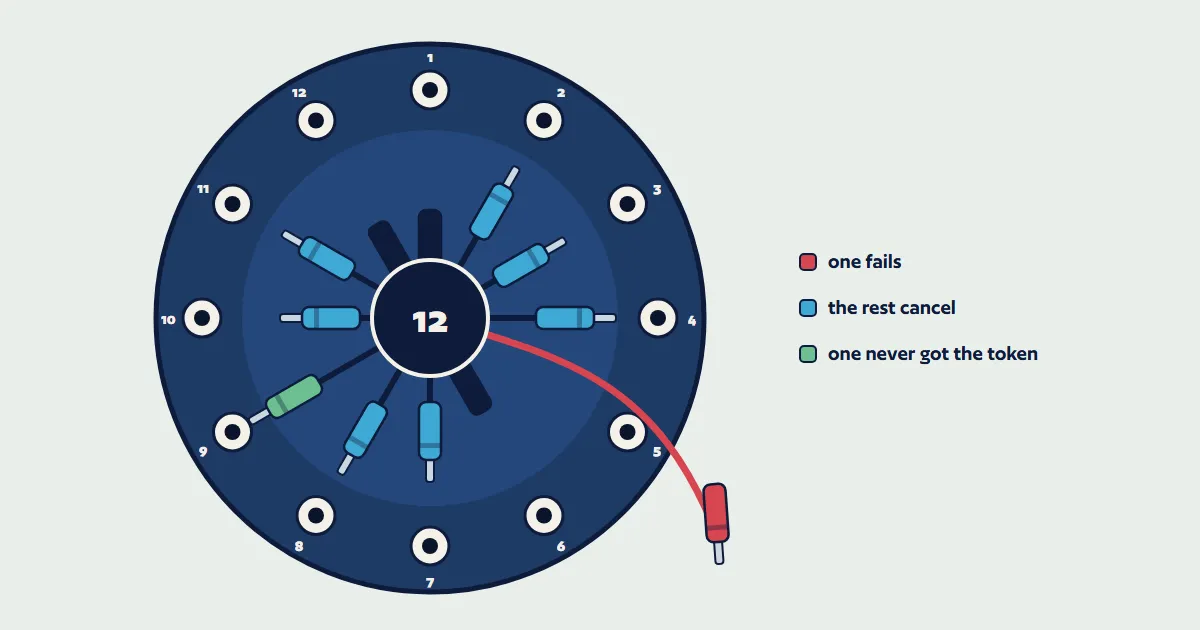
Most writing about concurrency in .NET is about picking the tool: Task.WhenAll, Parallel.ForEachAsync, Task.WhenEach or SemaphoreSlim. Picking well matters, but production problems show up later, when one task fails, when someone cancels, or when the downstream service can't keep up. That's where each API behaves in its own way, and part of that behavior isn't in the documentation but in the .NET 10 source code.
This guide measures those cases with two console projects you can copy and run. Three tasks fail and the catch gets a single exception. A token canceled from outside makes Parallel.ForEachAsync drop the real error. And in our run, 2,000 HTTP requests fired at once against a local server opened 1,262 TCP connections; against a server that only accepts 100, they ended with 1,104 errors. Each section has the code, the real output from .NET 10 and what to do about it in your own code.
What await Task.WhenAll throws when several tasks fail
Four tasks: A fails at 300 ms, B at 100, C at 200, and D completes successfully after one second. All four go into a Task.WhenAll. The helpers T, Ex and Fail are in Program.cs, shown under "How to run the example" (Scenarios/E1.cs):
using System.Diagnostics;

partial class Program
{
    // E1. Task.WhenAll and multiple exceptions.
    static async Task E1()
    {
        T("");
        T("##### E1 Task.WhenAll with three failing tasks");
        var clock = Stopwatch.StartNew();
        // A is first in the list but fails last; B fails first.
        var a = Fail(300, new InvalidOperationException("A failed at 300 ms"));
        var b = Fail(100, new ArgumentException("B failed at 100 ms"));
        var c = Fail(200, new TimeoutException("C failed at 200 ms"));
        var d = Task.Delay(1000);   // completes successfully
        var all = Task.WhenAll(a, b, c, d);
        try
        {
            await all;
        }
        catch (Exception ex)
        {
            T($"E1 catch receives: {Ex(ex)} (at about {clock.ElapsedMilliseconds / 100 * 100} ms)");
        }
        T($"E1 all.Status = {all.Status}; all.Exception.InnerExceptions.Count = {all.Exception!.InnerExceptions.Count}");
        foreach (var e in all.Exception.InnerExceptions) T($"E1   {Ex(e)}");

        // Same with Task<int>: Task.WhenAll<T> walks the tasks in list order.
        static async Task<int> FailInt(int ms, Exception ex) { await Task.Delay(ms); throw ex; }
        var withValues = Task.WhenAll(
            FailInt(300, new InvalidOperationException("A failed at 300 ms")),
            FailInt(100, new ArgumentException("B failed at 100 ms")),
            FailInt(200, new TimeoutException("C failed at 200 ms")));
        try { await withValues; }
        catch (Exception ex) { T($"E1 with Task<int>: catch receives {Ex(ex)}"); }
        T($"E1 with Task<int>: InnerExceptions order = {string.Join(" | ", withValues.Exception!.InnerExceptions.Select(e => e.Message))}");

        // A way to see them all without try/catch: don't throw on await, then read Exception.
        var all2 = Task.WhenAll(
            Fail(50, new InvalidOperationException("one")),
            Fail(60, new ArgumentException("two")));
        await all2.ConfigureAwait(ConfigureAwaitOptions.SuppressThrowing);
        T($"E1 with SuppressThrowing: Status = {all2.Status}; errors = {string.Join(" | ", all2.Exception!.InnerExceptions.Select(Ex))}");

        // SuppressThrowing isn't supported with Task<TResult>.
        try
        {
            var withValue = Task.FromResult(1);
            // CA2261 warns about this at build time; it's disabled only here to see what happens at run time.
#pragma warning disable CA2261
            await withValue.ConfigureAwait(ConfigureAwaitOptions.SuppressThrowing);
#pragma warning restore CA2261
        }
        catch (Exception ex)
        {
            T($"E1 SuppressThrowing with Task<int>: {ex.GetType().Name}");
        }

        // One faulted task and one canceled task: the fault wins.
        var canceled = Task.FromCanceled(new CancellationToken(true));
        var mixed = Task.WhenAll(Fail(10, new InvalidOperationException("failed")), canceled);
        try { await mixed; } catch (Exception ex) { T($"E1 fault + canceled: Status = {mixed.Status}; catch = {ex.GetType().Name}; InnerExceptions = {mixed.Exception!.InnerExceptions.Count}"); }
        var onlyCanceled = Task.WhenAll(Task.Delay(10), canceled);
        try { await onlyCanceled; } catch (Exception ex) { T($"E1 canceled only: Status = {onlyCanceled.Status}; catch = {ex.GetType().Name}"); }
    }
}
The output, with times rounded down to 100 ms:
E1 catch receives: ArgumentException: B failed at 100 ms (at about 1000 ms)
E1 all.Status = Faulted; all.Exception.InnerExceptions.Count = 3
E1   ArgumentException: B failed at 100 ms
E1   TimeoutException: C failed at 200 ms
E1   InvalidOperationException: A failed at 300 ms
E1 with Task<int>: catch receives InvalidOperationException: A failed at 300 ms
E1 with Task<int>: InnerExceptions order = A failed at 300 ms | B failed at 100 ms | C failed at 200 ms
E1 with SuppressThrowing: Status = Faulted; errors = ArgumentException: two | InvalidOperationException: one
E1 SuppressThrowing with Task<int>: ArgumentOutOfRangeException
E1 fault + canceled: Status = Faulted; catch = InvalidOperationException; InnerExceptions = 1
E1 canceled only: Status = Canceled; catch = TaskCanceledException- The
catchgets a single exception, even though three tasks failed. The others are inall.Exception.InnerExceptions, which is why it pays to keep theWhenAlltask in a variable. TheTaskAwaitersource says so in a comment: "If the task faulted, throw its first exception, even if it contained more than one." - The
catchruns once every task is done, at 1000 ms, not when B fails. - Which one arrives depends on the type. With a plain
Task, theTasksource stores the errors in the order the tasks fail: here B arrived, even though A is first in the list. That order isn't documented: don't rely on which one you get. WithTask<int>,WhenAllwalks the tasks in list order, and A arrived in every measured run. - Failure plus cancellation. If one task fails and another is canceled, the result is
Faultedand carries only the failure. If there are only canceled tasks, it'sCanceledand thecatchgets aTaskCanceledException, as theWhenAlldocumentation states.
await Task.WhenAll throws a single exception even when several tasks fail. Keep the task in a variable and read its Exception.InnerExceptions.Seeing them all without try/catch
Since .NET 8, ConfigureAwaitOptions.SuppressThrowing lets you await without the exception being thrown; then you read Exception, as in the "E1 with SuppressThrowing" line. It only works with a plain Task. With Task<int>, the analyzer flags it at build time. This is the warning you get without the #pragma, building without TreatWarningsAsErrors:
E1.cs(50,44): warning CA2261: The ConfigureAwaitOptions.SuppressThrowing option is only supported with the non-generic Task (https://learn.microsoft.com/dotnet/fundamentals/code-analysis/quality-rules/ca2261)With TreatWarningsAsErrors, as in the post's project, it breaks the build; if you suppress the warning, it builds but then fails at run time with ArgumentOutOfRangeException. That's why the #pragma covers only that line.
Canceling the rest when one fails
WhenAll waits for everything even after the first failure. If the remaining work is useless, you have to cancel it, and the tool for that is a CancellationTokenSource linked to the caller's token, for example HttpContext.RequestAborted. Each operation is wrapped in Guarded: if it fails, it cancels the others and lets its exception through (Scenarios/E2.cs):
using System.Collections.Concurrent;
using System.Diagnostics;

partial class Program
{
    // E2. Cancel the rest when one fails, with a linked CancellationTokenSource.
    static async Task E2()
    {
        T("");
        T("##### E2 Cancel the rest when one fails (CreateLinkedTokenSource)");
        using var external = new CancellationTokenSource();          // e.g. HttpContext.RequestAborted
        using var cts = CancellationTokenSource.CreateLinkedTokenSource(external.Token);
        var clock = Stopwatch.StartNew();
        var log = new ConcurrentQueue<string>();

        // If an operation fails, it cancels the others and lets its exception through.
        async Task Guarded(string name, Func<CancellationToken, Task> op)
        {
            try
            {
                await op(cts.Token);
                log.Enqueue($"{name} finished at {clock.ElapsedMilliseconds / 100 * 100} ms");
            }
            catch (OperationCanceledException) when (cts.IsCancellationRequested)
            {
                log.Enqueue($"{name} canceled at {clock.ElapsedMilliseconds / 100 * 100} ms");
                throw;
            }
            catch
            {
                cts.Cancel();
                throw;
            }
        }

        var tasks = new[]
        {
            Guarded("cooperative-1", ct => Task.Delay(1000, ct)),
            Guarded("cooperative-2", ct => Task.Delay(1000, ct)),
            Guarded("fails", async ct => { await Task.Delay(200, ct); throw new InvalidOperationException("failed at 200 ms"); }),
            Guarded("non-cooperative", ct => Task.Delay(1000)),          // doesn't pass the token
        };
        var all = Task.WhenAll(tasks);
        try { await all; }
        catch (Exception ex) { T($"E2 catch receives: {Ex(ex)} (at about {clock.ElapsedMilliseconds / 100 * 100} ms)"); }
        foreach (var line in log) T($"E2   {line}");
        T($"E2 states: {string.Join(", ", tasks.Select(t => t.Status))}");
        T($"E2 all.Status = {all.Status}; InnerExceptions = {string.Join(" | ", all.Exception!.InnerExceptions.Select(Ex))}");
    }
}
E2 catch receives: InvalidOperationException: failed at 200 ms (at about 1000 ms)
E2 cooperative-1 canceled at 200 ms
E2 cooperative-2 canceled at 200 ms
E2 non-cooperative finished at 1000 ms
E2 states: Canceled, Canceled, Faulted, RanToCompletion
E2 all.Status = Faulted; InnerExceptions = InvalidOperationException: failed at 200 msThe two tasks that pass the token are canceled at 200 ms, right when the third one fails. The one that doesn't pass it finishes at 1000 ms, and that's when the catch runs. The cancellation documentation is clear about it: "Cancellation is cooperative and is not forced on the listener." Whatever is already running and ignores the token keeps running, and WhenAll waits for it.
Two details of the pattern. The when (cts.IsCancellationRequested) filter separates cancellations from real failures: a canceled task is logged as such and doesn't call Cancel() again, though repeating it would be harmless. And the cancellation goes in the catch, not in a finally, which would also cancel on success. InnerExceptions carries only the real failure: canceled tasks don't clutter the list. With no outer token, a plain CancellationTokenSource is enough.
Parallel.ForEachAsync: how many at once by default
Without ParallelOptions, Parallel.ForEachAsync doesn't run everything at once. Its .NET 10 source code sets the default in one line: private static int DefaultDegreeOfParallelism => Environment.ProcessorCount;. And in ForEachAsync, unlike Parallel.For and Parallel.ForEach, MaxDegreeOfParallelism = -1 isn't unlimited: "-1 means ProcessorCount". E3 measures it with 48 items of 100 ms each (Scenarios/E3.cs):
using System.Diagnostics;

partial class Program
{
    // E3. Parallel.ForEachAsync: default parallelism with simulated I/O work.
    static async Task E3()
    {
        T("");
        T("##### E3 Parallel.ForEachAsync: how many at once by default (48 items, 100 ms each)");
        async Task Measure(string name, ParallelOptions? options)
        {
            var m = new Meter();
            var clock = Stopwatch.StartNew();
            Func<int, CancellationToken, ValueTask> body = async (i, ct) =>
            {
                m.Enter();
                try { await Task.Delay(100, ct); } finally { m.Exit(); }
            };
            if (options is null) await Parallel.ForEachAsync(Enumerable.Range(0, 48), body);
            else await Parallel.ForEachAsync(Enumerable.Range(0, 48), options, body);
            T($"E3 {name}: peak = {m.Peak}; time = about {clock.ElapsedMilliseconds / 100 * 100} ms");
        }
        await Measure("no ParallelOptions", null);
        await Measure("MaxDegreeOfParallelism = -1", new ParallelOptions { MaxDegreeOfParallelism = -1 });
        await Measure("MaxDegreeOfParallelism = 48", new ParallelOptions { MaxDegreeOfParallelism = 48 });
    }
}
Runtime: .NET 10.0.14 | Environment.ProcessorCount = 12
E3 no ParallelOptions: peak = 12; time = about 400 ms
E3 MaxDegreeOfParallelism = -1: peak = 12; time = about 400 ms
E3 MaxDegreeOfParallelism = 48: peak = 48; time = about 100 msWith DOTNET_PROCESSOR_COUNT=4, the same code prints this:
Runtime: .NET 10.0.14 | Environment.ProcessorCount = 4
E3 no ParallelOptions: peak = 4; time = about 1300 ms
E3 MaxDegreeOfParallelism = -1: peak = 4; time = about 1200 ms
E3 MaxDegreeOfParallelism = 48: peak = 48; time = about 100 ms
With 12 logical processors, the peak is 12 with no options and with -1; with 4, it drops to 4. According to the ProcessorCount documentation, the value is the minimum of the logical processors, the process affinity and the CPU limit, so in a container with little CPU the loop can slow down without any code change (we didn't test that).
Parallel.ForEachAsync when an item fails
E4 walks 40 items with at most 8 at a time. Items 3 and 5 fail at 50 ms and the rest take 300 ms. It runs four times: with a body that uses the loop's token, with one that ignores it, with an outer token canceled right before the failure, and with one canceled at 150 ms, after the failure (Scenarios/E4.cs):
using System.Diagnostics;

partial class Program
{
    // E4. Parallel.ForEachAsync when exceptions happen.
    static async Task E4()
    {
        T("");
        T("##### E4 Parallel.ForEachAsync with exceptions (40 items, MaxDegreeOfParallelism = 8)");
        async Task Run(string name, bool usesToken, CancellationTokenSource? external, bool cancelOnFailure = true)
        {
            var started = 0;
            var completed = 0;
            var options = new ParallelOptions { MaxDegreeOfParallelism = 8, CancellationToken = external?.Token ?? default };
            var clock = Stopwatch.StartNew();
            var loop = Parallel.ForEachAsync(Enumerable.Range(0, 40), options, async (i, ct) =>
            {
                Interlocked.Increment(ref started);
                if (i == 3)
                {
                    await Task.Delay(50);
                    if (cancelOnFailure) external?.Cancel();
                    throw new InvalidOperationException("item 3 failed");
                }
                if (i == 5)
                {
                    await Task.Delay(50);
                    throw new ArgumentException("item 5 failed");
                }
                await Task.Delay(300, usesToken ? ct : CancellationToken.None);
                Interlocked.Increment(ref completed);
            });
            try { await loop; }
            catch (Exception ex) { T($"E4 {name}: catch receives {Ex(ex)}"); }
            var inner = loop.Exception?.InnerExceptions.GroupBy(e => e.GetType().Name).Select(g => $"{g.Key} x{g.Count()}");
            T($"E4 {name}: Status = {loop.Status}; started = {started} of 40; completed = {completed}; " +
              $"InnerExceptions = {(inner is null ? "none (Exception is null)" : string.Join(", ", inner))}; time = about {clock.ElapsedMilliseconds / 100 * 100} ms");
        }
        await Run("the body uses the token", usesToken: true, external: null);
        await Run("the body does NOT use the token", usesToken: false, external: null);
        using var external = new CancellationTokenSource();
        await Run("with an external token canceled before the failure", usesToken: true, external: external);
        // The outer token is canceled at 150 ms, after the failure (50 ms) and before the loop ends (300 ms).
        using var late = new CancellationTokenSource();
        late.CancelAfter(150);
        await Run("with an external token canceled after the failure", usesToken: false, external: late, cancelOnFailure: false);
    }
}
E4 the body uses the token: catch receives InvalidOperationException: item 3 failed
E4 the body uses the token: Status = Faulted; started = 8 of 40; completed = 0; InnerExceptions = InvalidOperationException x1, ArgumentException x1, TaskCanceledException x6; time = about 0 ms
E4 the body does NOT use the token: catch receives ArgumentException: item 5 failed
E4 the body does NOT use the token: Status = Faulted; started = 8 of 40; completed = 6; InnerExceptions = ArgumentException x1, InvalidOperationException x1; time = about 300 ms
E4 with an external token canceled before the failure: catch receives TaskCanceledException: A task was canceled.
E4 with an external token canceled before the failure: Status = Canceled; started = 8 of 40; completed = 0; InnerExceptions = none (Exception is null); time = about 0 ms
E4 with an external token canceled after the failure: catch receives TaskCanceledException: A task was canceled.
E4 with an external token canceled after the failure: Status = Canceled; started = 8 of 40; completed = 6; InnerExceptions = none (Exception is null); time = about 300 msThe loop stops starting new items: only 8 of 40 began. The source stores the exception and "triggers cancellation in order to alert all workers to stop as soon as possible". The items already running see ct canceled:
- if they use it, they end with
TaskCanceledExceptionand the loop finishes in under 100 ms (the output says 0 because of the rounding); - if they don't, they finish their work (6 of 6) and the loop takes about 300 ms.
As with WhenAll, await throws one and loop.Exception.InnerExceptions has all of them: the two real failures and, if the body uses the token, six TaskCanceledException. Items 3 and 5 fail at the same time, so which one reaches the catch changes from run to run.
The finding: a canceled outer token takes the errors with it
If the ParallelOptions.CancellationToken is canceled by the time the loop ends, even if the cancellation comes after the failure, the result is Canceled, the catch gets TaskCanceledException: A task was canceled. and Exception is null, even though item 3 threw InvalidOperationException. In the fourth run the token is canceled 100 ms after the failure, and the error is lost all the same: it ends up nowhere. It's on purpose; the .NET 10 code says: "The externally provided token had cancellation requested. Assume that any exceptions then are due to that, and just cancel the resulting task."
Parallel.ForEachAsync drops the errors: Exception is null.For example, if the outer token belongs to an HTTP request and the client disconnects while an item fails for some other reason, that failure never reaches any catch. If you need to see it, log it inside the body before the exception leaves.
Task.WhenEach: every error in its place
Task.WhenEach, available since .NET 9, yields each task as it completes, including the ones that fail or are canceled. It doesn't throw on its own: the exception surfaces when you await t inside the loop. E5 has five tasks, and the second and fourth fail (Scenarios/E5.cs):
partial class Program
{
    // E5. Task.WhenEach (.NET 9+) and exceptions.
    static async Task E5()
    {
        T("");
        T("##### E5 Task.WhenEach with two failing tasks");
        Task<string>[] Create() =>
        [
            Value(100, "one"),
            FailWithValue(200, new InvalidOperationException("two failed")),
            Value(300, "three"),
            FailWithValue(400, new ArgumentException("four failed")),
            Value(500, "five"),
        ];
        static async Task<string> Value(int ms, string v) { await Task.Delay(ms); return v; }
        static async Task<string> FailWithValue(int ms, Exception ex) { await Task.Delay(ms); throw ex; }

        // a) try/catch inside the loop: you see every one.
        await foreach (var t in Task.WhenEach(Create()))
        {
            try { T($"E5 a) result: {await t}"); }
            catch (Exception ex) { T($"E5 a) error: {Ex(ex)}"); }
        }

        // b) no try/catch inside: the first error ends the loop; the rest keep running.
        var tasks = Create();
        var seen = 0;
        try
        {
            await foreach (var t in Task.WhenEach(tasks))
            {
                T($"E5 b) result: {await t}");
                seen++;
            }
        }
        catch (Exception ex) { T($"E5 b) the loop ended with {Ex(ex)} after {seen} result(s)"); }
        T($"E5 b) right after: {string.Join(", ", tasks.Select(t => t.Status))}");
        await Task.Delay(600);
        T($"E5 b) 600 ms later: {string.Join(", ", tasks.Select(t => t.Status))}");

        // c) WhenEach with canceled tasks: they're yielded too; the error surfaces on await.
        var c = new[] { Task.FromCanceled<string>(new CancellationToken(true)), Task.FromResult("ok") };
        await foreach (var t in Task.WhenEach(c))
        {
            try { T($"E5 c) result: {await t}"); }
            catch (Exception ex) { T($"E5 c) {t.Status}: {ex.GetType().Name}"); }
        }
    }
}
E5 a) result: one
E5 a) error: InvalidOperationException: two failed
E5 a) result: three
E5 a) error: ArgumentException: four failed
E5 a) result: five
E5 b) result: one
E5 b) the loop ended with InvalidOperationException: two failed after 1 result(s)
E5 b) right after: RanToCompletion, Faulted, WaitingForActivation, WaitingForActivation, WaitingForActivation
E5 b) 600 ms later: RanToCompletion, Faulted, RanToCompletion, Faulted, RanToCompletion
E5 c) Canceled: TaskCanceledException
E5 c) result: okWith a try/catch inside the loop you see all five results in completion order. Without it, the first error ends the await foreach after a single result, but the other tasks keep running: right after, three are in WaitingForActivation, and 600 ms later all have finished, one of them with a second error nobody observes. And the order isn't fixed: "The exact order in which the tasks will become available is not defined."
Thousands of HTTP calls: unbounded versus bounded
The last scenario sends 2,000 GET requests to a local Kestrel server that takes 200 ms per request and counts how many it serves at once and how many distinct TCP connections it sees. By default, neither side limits anything, and the scenario prints it: SocketsHttpHandler.MaxConnectionsPerServer is 2147483647, HttpClient.Timeout is 100 s, and Kestrel's MaxConcurrentConnections is null.
This is the test server (Server/Program.cs):
using System.Collections.Concurrent;
using Microsoft.AspNetCore.Server.Kestrel.Core;

// Test server: each request takes 200 ms, and it records how many are in flight at once.
var builder = WebApplication.CreateBuilder(args);
builder.Logging.SetMinimumLevel(LogLevel.Warning);

// Empty Server:MaxConnections = Kestrel's default.
var limit = builder.Configuration.GetValue<long?>("Server:MaxConnections");
builder.WebHost.ConfigureKestrel(o =>
{
    if (limit is not null) o.Limits.MaxConcurrentConnections = limit;
});

var app = builder.Build();

var inFlight = 0;
var peak = 0;
var served = 0;
var connections = new ConcurrentDictionary<string, byte>();

app.MapGet("/slow", async (HttpContext http) =>
{
    connections.TryAdd(http.Connection.Id, 0);
    var n = Interlocked.Increment(ref inFlight);
    int seen;
    while (n > (seen = Volatile.Read(ref peak)) && Interlocked.CompareExchange(ref peak, n, seen) != seen) { }
    try
    {
        await Task.Delay(200);
        Interlocked.Increment(ref served);
        return "ok";
    }
    finally
    {
        Interlocked.Decrement(ref inFlight);
    }
});

app.MapPost("/reset", () =>
{
    Volatile.Write(ref peak, 0);
    Volatile.Write(ref served, 0);
    connections.Clear();
    return Results.NoContent();
});

app.MapGet("/stats", () => Results.Ok(new
{
    peak = Volatile.Read(ref peak),
    served = Volatile.Read(ref served),
    connections = connections.Count,
}));

app.MapGet("/limits", () => Results.Ok(new
{
    maxConcurrentConnectionsDefault = new KestrelServerLimits().MaxConcurrentConnections?.ToString() ?? "null",
    maxConcurrentConnectionsConfigured = limit?.ToString() ?? "null",
}));

app.Run();
And this is the client, with three strategies: everything at once with Task.WhenAll, a SemaphoreSlim of 20, and Parallel.ForEachAsync with 20 and with its default (Scenarios/E6.cs):
using System.Collections.Concurrent;
using System.Diagnostics;
using System.Text.Json;

partial class Program
{
    // E6. Thousands of HTTP calls: unbounded and bounded.
    static async Task E6(string url)
    {
        T("");
        const int total = 2000;
        using var control = new HttpClient { BaseAddress = new Uri(url) };
        var limits = await control.GetStringAsync("/limits");
        T($"##### E6 {total} GET /slow requests (200 ms each) against the local server");
        T($"E6 server /limits: {limits}");
        T($"E6 SocketsHttpHandler.MaxConnectionsPerServer default = {new SocketsHttpHandler().MaxConnectionsPerServer}; HttpClient.Timeout default = {new HttpClient().Timeout.TotalSeconds} s");

        async Task Measure(string name, Func<HttpClient, Func<Task>, Task> strategy)
        {
            await control.PostAsync("/reset", null);
            // A new client per scenario, so scenarios don't share connections.
            using var handler = new SocketsHttpHandler();
            using var http = new HttpClient(handler) { BaseAddress = new Uri(url) };
            var errors = new ConcurrentDictionary<string, int>();
            var ok = 0;
            var examples = new ConcurrentDictionary<string, string>();
            async Task One()
            {
                try
                {
                    using var r = await http.GetAsync("/slow");
                    r.EnsureSuccessStatusCode();
                    Interlocked.Increment(ref ok);
                }
                catch (Exception ex)
                {
                    var key = ex.InnerException is null ? ex.GetType().Name : $"{ex.GetType().Name}/{ex.InnerException.GetType().Name}";
                    errors.AddOrUpdate(key, 1, (_, n) => n + 1);
                    examples.TryAdd(key, ex.InnerException is null ? ex.Message : $"{ex.Message} -> {ex.InnerException.Message}");
                }
            }
            var clock = Stopwatch.StartNew();
            await strategy(http, One);
            var ms = clock.ElapsedMilliseconds;
            var stats = JsonDocument.Parse(await control.GetStringAsync("/stats")).RootElement;
            T($"E6 {name}: ok = {ok}; errors = {(errors.IsEmpty ? "0" : string.Join(", ", errors.Select(e => $"{e.Key} x{e.Value}")))}; " +
              $"time = about {ms / 100 * 100} ms; server: peak in flight = {stats.GetProperty("peak")}, distinct TCP connections = {stats.GetProperty("connections")}");
            foreach (var (kind, message) in examples) T($"E6   example {kind}: {message}");
        }

        await Measure("unbounded (Task.WhenAll of all)", (http, one) =>
            Task.WhenAll(Enumerable.Range(0, total).Select(_ => one())));

        await Measure("SemaphoreSlim(20)", async (http, one) =>
        {
            using var semaphore = new SemaphoreSlim(20);
            await Task.WhenAll(Enumerable.Range(0, total).Select(async _ =>
            {
                await semaphore.WaitAsync();
                try { await one(); } finally { semaphore.Release(); }
            }));
        });

        await Measure("Parallel.ForEachAsync MaxDegreeOfParallelism = 20", (http, one) =>
            Parallel.ForEachAsync(Enumerable.Range(0, total), new ParallelOptions { MaxDegreeOfParallelism = 20 }, async (_, _) => await one()));

        await Measure($"Parallel.ForEachAsync default ({Environment.ProcessorCount})", (http, one) =>
            Parallel.ForEachAsync(Enumerable.Range(0, total), async (_, _) => await one()));
    }
}
Results on the test machine (12 processors, Windows 11), with the default server and with MaxConcurrentConnections = 100, which simulates a service that can't take more:
| Strategy | Unbounded server | Server with 100 connections |
|---|---|---|
Unbounded (Task.WhenAll) | 2000 ok, 0 errors; about 600 ms; peak 1252, 1262 connections | 896 ok, 1104 errors; about 2.1 s; peak 99, 99 connections |
SemaphoreSlim(20) | 2000 ok, 0 errors; about 20.8 s; peak 20, 20 connections | 2000 ok, 0 errors; about 20.6 s; peak 20, 20 connections |
ForEachAsync with a maximum of 20 | 2000 ok, 0 errors; about 20.6 s; peak 20, 20 connections | 2000 ok, 0 errors; about 20.6 s; peak 20, 20 connections |
ForEachAsync default (12) | 2000 ok, 0 errors; about 34.4 s; peak 12, 12 connections | 2000 ok, 0 errors; about 34.3 s; peak 12, 12 connections |
Against the default server, firing everything at once finishes in about 600 ms. But the server reached 1,252 requests at once and the client opened 1,262 TCP connections, one per concurrent request (with HTTP/1.1, the default), each holding a local port. Locally that's harmless; against a real service, that spike is the problem. Against the 100-connection server, the same code ended with 896 successful requests and 1,104 errors, all HttpRequestException: 452 wrapping an IOException and 652 wrapping an HttpIOException ("The response ended prematurely"). The exact numbers change between runs; the pattern holds.
With a limit of 20, all 2,000 requests succeed on both servers, with a peak of 20, 20 connections and just under 21 s, whether through SemaphoreSlim or MaxDegreeOfParallelism = 20. The semaphore fits when work arrives from different places and shares one limit; ForEachAsync, when there's a collection to walk.
How to pick the limit
There's no universal number: you pick it based on what the downstream service can take, not on the local CPU. And the limit in the test is per execution: if an API serves 50 requests at once and each one runs its loop with 20, the downstream service gets 1,000 calls. The limit that protects it has to be shared, for example a single SemaphoreSlim for the whole application or MaxConnectionsPerServer on the shared handler. The 20 in the test is an example, not a recommendation, and neither is the ForEachAsync default: with its 12, the 2,000 requests take about 34 s. Creating an HttpClient per request is a different problem: according to the official HttpClient guidelines, each instance has its own connection pool. That case, IHttpClientFactory, Polly retries and Channels are out of scope here.
Summary: what reaches the catch and what keeps running
| Situation | What reaches the catch | Where all of them are | Does the rest stop? |
|---|---|---|---|
WhenAll with Task, 3 failures | One; no guarantee which | Exception.InnerExceptions (3) | No: it waits for all |
WhenAll with Task<T>, 3 failures | The one from the first failed task in list order | Same, in list order | No |
WhenAll with one failure and one canceled | The failure | 1; canceled tasks don't count | No |
WhenAll with only canceled tasks | TaskCanceledException | Status = Canceled | Not applicable |
Linked token and Cancel() in the catch | The failure | 1 | Only the tasks that pass the token |
ForEachAsync with one failure | One | The failures plus cancellations from items that use the token | Yes: no new items, and ct is canceled |
ForEachAsync with the outer token canceled when the loop ends | TaskCanceledException | None: Exception is null | Yes |
WhenEach without try inside the loop | The first one that fails on await t | You have to walk them yourself | No: they keep running unobserved |
How to run the example
There are two projects with no NuGet packages, in sibling folders, Scenarios and Server, and they need the .NET 10 SDK. The scenarios project (Scenarios/Scenarios.csproj):
<Project Sdk="Microsoft.NET.Sdk">
  <PropertyGroup>
    <OutputType>Exe</OutputType>
    <TargetFramework>net10.0</TargetFramework>
    <Nullable>enable</Nullable>
    <ImplicitUsings>enable</ImplicitUsings>
    <TreatWarningsAsErrors>true</TreatWarningsAsErrors>
  </PropertyGroup>
</Project>
The entry point, which picks the scenario and defines the shared pieces (Scenarios/Program.cs):
using System.Runtime.InteropServices;

// Usage: dotnet run -- <E1|E2|E3|E4|E5|E6|all> [server url for E6]
// "all" runs E1 to E5; E6 needs the server and is requested on its own.
Console.OutputEncoding = System.Text.Encoding.UTF8;
var which = args.Length > 0 ? args[0] : "all";
var url = args.Length > 1 ? args[1] : "http://localhost:5291";
bool Runs(string e) => which == e || (which == "all" && e != "E6");

Console.WriteLine($"Runtime: {RuntimeInformation.FrameworkDescription} | Environment.ProcessorCount = {Environment.ProcessorCount}");

if (Runs("E1")) await E1();
if (Runs("E2")) await E2();
if (Runs("E3")) await E3();
if (Runs("E4")) await E4();
if (Runs("E5")) await E5();
if (Runs("E6")) await E6(url);

partial class Program
{
    static void T(string text) => Console.WriteLine(text);
    static string Ex(Exception e) => $"{e.GetType().Name}: {e.Message}";

    static async Task Fail(int ms, Exception ex)
    {
        await Task.Delay(ms);
        throw ex;
    }
}

// Counts how many operations are running at once.
sealed class Meter
{
    private int _current, _peak;
    public int Peak => Volatile.Read(ref _peak);
    public void Enter()
    {
        var n = Interlocked.Increment(ref _current);
        int seen;
        while (n > (seen = Volatile.Read(ref _peak)) && Interlocked.CompareExchange(ref _peak, n, seen) != seen) { }
    }
    public void Exit() => Interlocked.Decrement(ref _current);
}
The server project (Server/Server.csproj):
<Project Sdk="Microsoft.NET.Sdk.Web">
  <PropertyGroup>
    <TargetFramework>net10.0</TargetFramework>
    <Nullable>enable</Nullable>
    <ImplicitUsings>enable</ImplicitUsings>
    <TreatWarningsAsErrors>true</TreatWarningsAsErrors>
  </PropertyGroup>
</Project>
E1 to E5 need no network. For E6, start the server first in another console; the second command starts it with the 100-connection limit:
# E1 to E5
dotnet run --project Scenarios

# E6: in one console, the server (the second command starts it with a 100-connection limit)
dotnet run --project Server --urls http://localhost:5291
dotnet run --project Server --urls http://localhost:5291 --Server:MaxConnections=100

# E6: in another console, the client
dotnet run --project Scenarios -- E6 http://localhost:5291
What isn't tested
- Actually running out of ports or sockets: what was measured is open connections (1,262).
- Why the capped server's log recorded 3,820 rejected-connection warnings for 1,104 errors. We didn't look into it.
- Where the default
MaxConnectionsPerServervalue is defined in the code: the 2147483647 comes from the runtime, not from a quote. - Linux, macOS and containers: everything ran on Windows 11.
- Retries with Polly or
Microsoft.Extensions.Http.Resiliencecombined with these patterns. - The exception order with a plain
Task: the code follows failure order, but the documentation doesn't promise it. - What happens to the exceptions
WhenEachleaves unobserved (TaskScheduler.UnobservedTaskException).
Frequently asked questions
Why does await Task.WhenAll throw only one exception?
Because await throws the task's first exception, even when there are several. All of them stay in the Exception.InnerExceptions of the WhenAll task: keep it in a variable to read them in the catch.
How many tasks does Parallel.ForEachAsync run at once by default?
Environment.ProcessorCount, also with MaxDegreeOfParallelism = -1. On the test machine, 12. For I/O, set the limit based on what the downstream service can take.
How do I limit concurrent HTTP calls in .NET?
With SemaphoreSlim, or with Parallel.ForEachAsync and MaxDegreeOfParallelism. In the test they behaved the same: a peak of 20, 20 connections and 0 errors.
Conclusion
Picking the API isn't enough: you also need to know what it does when something goes wrong. WhenAll throws one exception and waits for everything. ForEachAsync stops starting items and, if the outer token is canceled when the loop ends, drops the errors. WhenEach leaves tasks running if the loop breaks. And without a limit, the client opens one connection per concurrent request.
If your application follows a design like the one in the CQRS in .NET 10 post, the handlers that fan out work in parallel are a good place to start: keep the WhenAll task, pass the token, and set a limit that fits the downstream service.
References
- Task.WhenAll — Microsoft Learn: learn.microsoft.com/en-us/dotnet/api/system.threading.tasks.task.whenall
- Exception handling (Task Parallel Library) — Microsoft Learn: learn.microsoft.com/en-us/dotnet/standard/parallel-programming/exception-handling-task-parallel-library
- Cancellation in managed threads — Microsoft Learn: learn.microsoft.com/en-us/dotnet/standard/threading/cancellation-in-managed-threads
- ParallelOptions.MaxDegreeOfParallelism — Microsoft Learn: learn.microsoft.com/en-us/dotnet/api/system.threading.tasks.paralleloptions.maxdegreeofparallelism
- Parallel.ForEachAsync.cs, .NET 10 source code — GitHub: github.com/dotnet/runtime/…/Parallel.ForEachAsync.cs
- Task.WhenEach — Microsoft Learn: learn.microsoft.com/en-us/dotnet/api/system.threading.tasks.task.wheneach
- HttpClient guidelines for .NET — Microsoft Learn: learn.microsoft.com/en-us/dotnet/fundamentals/networking/http/httpclient-guidelines
- Kestrel options (MaxConcurrentConnections) — Microsoft Learn: learn.microsoft.com/en-us/aspnet/core/fundamentals/servers/kestrel/options
- CA2261: Do not use ConfigureAwaitOptions.SuppressThrowing with Task<TResult> — Microsoft Learn: learn.microsoft.com/en-us/dotnet/fundamentals/code-analysis/quality-rules/ca2261
Tags
Share this post
Subscribe
Get the latest posts delivered right to your inbox.



Leave a comment