Web Development
Custom Eases in GSAP: CustomEase, CustomWiggle, CustomBounce and EasePack
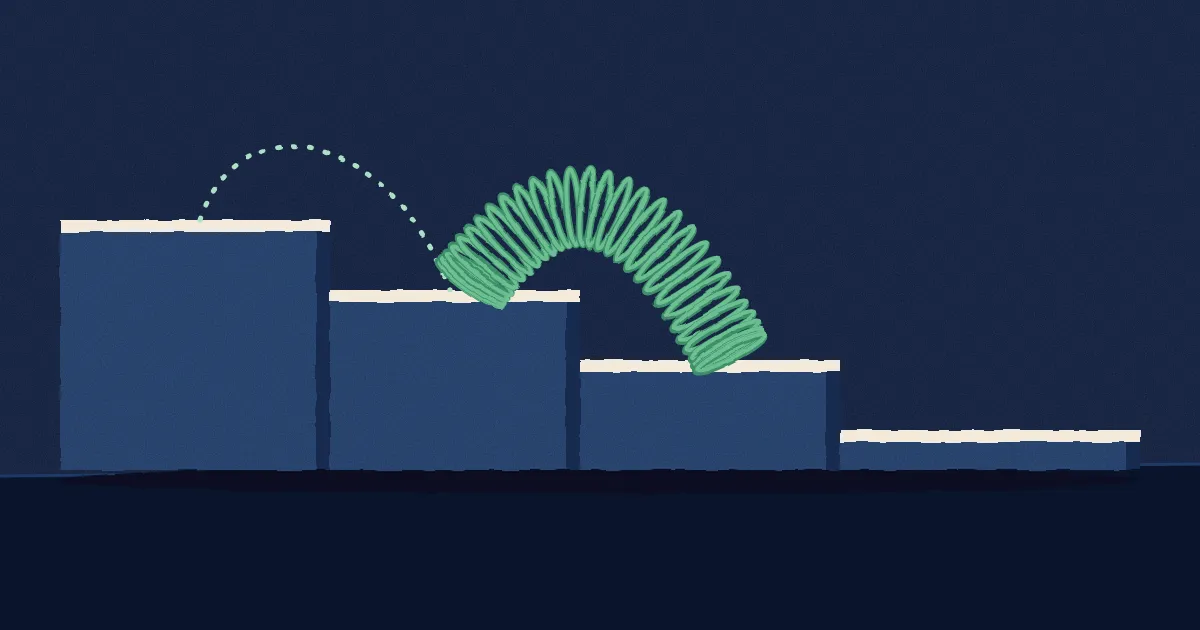
An ease is the function that decides how a tween spreads its motion over time: the same distance can be covered at a constant pace, start fast and slow down, or overshoot the target and come back.
A notification bell that shakes when a message arrives and a card that drops and bounces as it hits the edge are two jobs for a custom ease. GSAP ships about a dozen curves in its core and four extra files for the rest: CustomEase, CustomWiggle, CustomBounce and EasePack.
This post is part of the GSAP series. The license and the install live in the series hub, the ease parameter of a tween was introduced in post 2, on the core, and eases inside defaults and easeReverse came up in post 3, on timelines. It includes a live demo of eleven eases on GSAP 3.15.0. Here are the script tags; CustomWiggle and CustomBounce need CustomEase on the page:
<script src="https://unpkg.com/gsap@3.15.0/dist/gsap.min.js"></script>
<script src="https://unpkg.com/gsap@3.15.0/dist/CustomEase.min.js"></script>
<script src="https://unpkg.com/gsap@3.15.0/dist/CustomWiggle.min.js"></script>
<script src="https://unpkg.com/gsap@3.15.0/dist/CustomBounce.min.js"></script>
<script src="https://unpkg.com/gsap@3.15.0/dist/EasePack.min.js"></script>
<script>
  gsap.registerPlugin(CustomEase, CustomWiggle, CustomBounce, EasePack);
</script>
If EasePack.min.js is missing, the registerPlugin line throws a ReferenceError; if it loads before gsap.min.js, rough stops existing with no warning. In the snippets below, .box, .bell, .ball and the other classes stand for elements on the page.
What an ease is
The GSAP Easing guide puts it in one line: "Under the hood, the "ease" is a mathematical calculation that controls the rate of change during a tween." There are three types, "in, out and inOut", and the guide pairs each with a physical picture:
"power1.in"starts slow and ends fast, "like a heavy object falling"."power1.out"starts fast and ends slow, "like a rolling ball slowly coming to a stop"."power1.inOut"starts and ends slow, "like a car accelerating and decelerating".
Without an ease, a tween uses "power1.out", which is also what the guide recommends for interfaces: "they're fast to start which helps the UI feel responsive".
What the core includes
The core includes none, power1 through power4, back, bounce, circ, elastic, expo, sine and steps. Some take parameters right in the string, such as "back.out(1.7)" or "elastic.out(1, 0.3)". Everything else is a separate download, as the guide warns: ""SlowMo" ease, "RoughEase", "ExpoScaleEase", and custom eases ("CustomEase", "CustomBounce", and "CustomWiggle") are not in the core. They must be loaded separately."
An unknown name raises no warning: with ease: "Hop" instead of "hop", the tween uses "power1.out".
CustomEase: a curve from a path
CustomEase exists to "create literally any easing curve imaginable by simply drawing it in the Ease Visualizer or by copying/pasting an SVG path". It is created once under a name and then used like any built-in ease. This is the official example, "hop":
CustomEase.create("hop", "M0,0 C0,0 0.056,0.442 0.175,0.442 0.294,0.442 0.332,0 0.332,0 0.332,0 0.414,1 0.671,1 0.991,1 1,0 1,0");
gsap.to(".box", { duration: 1, y: -100, ease: "hop" });
The path usually uses normalized values from 0 to 1, but any path built from cubic bezier commands ("M", "C", "S", "L" or "Z") works, and CustomEase normalizes it internally. "hop" ends at 0: the box rises a little, drops, rises all the way and lands where it began.
CustomEase also reads a four-number cubic-bezier string like the ones cubic-bezier.com produces, and getSVGData() draws any ease. The second line uses the "hop" from the previous block; without it, it throws a TypeError:
CustomEase.create("soft", ".17,.67,.83,.67");

// draws the "hop" curve into a <path id="curve">, at 200 x 100
CustomEase.getSVGData("hop", { width: 200, height: 100, path: "#curve" });
getSVGData() also works with standard eases such as "power2". According to the docs, eases are best created up front, because the work of calculating the points "only happens once, upon creation".
CustomWiggle: shake and come back
CustomWiggle "extends CustomEase (which you must include in your project as well)" and builds wiggles from an amount and a type:
CustomWiggle.create("shake", { wiggles: 6, type: "easeOut" });
gsap.to(".bell", { duration: 2, rotation: 30, ease: "shake" });
wiggles is the number of oscillations (10 by default), and type takes five styles: easeOut, the default, plus easeInOut, anticipate, uniform and random. rotation: 30 is the amplitude, not the destination: the rotation "will wiggle to 30 and back just as much in the opposite direction, ending where it began". To start in the other direction, the target goes negative (rotation: -30); CustomWiggle 3.15.0 does not read any invert option.
CustomBounce: a bounce with a squash
The core already has bounce, and the CustomBounce docs explain why that is not enough: "there is no built-in way to customize how "bouncy" it is, nor could you easily get a synchronized squash and stretch effect during the bounce". CustomBounce also sits on top of CustomEase, and from a few parameters it builds two eases, one for the bounce and, when squash is set, one for the squash.
CustomBounce.create("myBounce", { strength: 0.6, squash: 2 });

// the ball drops 200px and bounces on the floor
gsap.from(".ball", { duration: 2, y: -200, ease: "myBounce" });
// at the same time it squashes on every hit, with the "myBounce-squash" ease
gsap.to(".ball", { duration: 2, scaleX: 1.4, scaleY: 0.6, ease: "myBounce-squash", transformOrigin: "center bottom" });
strength runs from 0 to 1 and sets how bouncy the ease is (0.7 by default; 0.9 bounces far more than 0.3). squash controls how long the squash lasts, the gap between bounces where the object looks stuck to the floor, and the docs call 2 a good number. The second ease takes the first one's name plus "-squash", unless squashID sets another name. endAtStart: true makes the ease finish where it started.
It takes two tweens running together, one for position and one for scaleX and scaleY. The block uses from() so the floor is the position the ball already has; with to(), the bounce happens at the target, 200px higher. Without squash, the "-squash" ease does not exist and the scale tween falls back to "power1.out" with no warning.
EasePack: rough, slow and expoScale
EasePack is one file with three configurable eases. One line each:
gsap.to(".alert", { duration: 1, x: 20, ease: "rough({ points: 20, strength: 1 })" });
gsap.to(".headline", { duration: 3, x: 400, ease: "slow(0.5, 0.8)" });
gsap.to(".image", { duration: 1, scale: 2, ease: "expoScale(1, 2)" });- RoughEase gives "a rough, jagged effect" instead of a smooth transition.
pointsis how many points are plotted (20 by default) andstrengthhow far they may wander from the template ease (1 by default). It is random: two tweens with the same string follow different paths. - SlowMo decelerates, moves linearly for a chosen share, then accelerates out. With 0.5, the middle half is linear; the second number is
power(0.7 by default). The docs suggest it for text that zooms in, stays long enough to be read, and zooms off. - ExpoScaleEase fixes an odd effect: when scale is animated, the object seems to change speed even with a linear ease. It needs the tween's start and end scale in the string, and takes an optional third parameter, the ease to bend (
noneby default).
The demo: eleven eases side by side
When an ease is picked, getSVGData() draws its curve; Play moves the ball while a dot travels the curve. With hop and the wiggle the ball comes back to the start or shakes around the middle, which is correct. The track ends in a wall, so the CustomBounce squash happens sideways. Under reduced motion nothing starts by itself, but Play works.
What about CSS?
CSS has custom curves too: cubic-bezier(), steps() and, since 2023, linear(), which MDN describes as a function that "creates a transition curve that progresses uniformly between points". MDN adds that "It's been available across browsers since December 2023": Chrome and Edge 113, Firefox 112 and Safari 17.2. Because linear() joins whatever points it receives, enough points will approximate a bounce or a spring. That reasoning is this blog's, not MDN's.
What GSAP adds is different: building an ease from an SVG path, generating a squash that stays in sync with the bounce, the five wiggle types, and getSVGData() to draw any curve. For a transition between two states, CSS is enough; when the squash has to follow the bounce, CustomBounce saves the math.
Common mistakes
- Loading CustomWiggle or CustomBounce without CustomEase. Both extend CustomEase and their docs say to include it. Without it, the
registerPluginline of the first block throwsReferenceError: CustomEase is not defined, andCustomWiggle.create()throws aTypeErrorwith the warning "Please gsap.registerPlugin(CustomEase, CustomWiggle)". The order of those three tags makes no difference as long as all three load before the eases are created. - Naming a custom ease "expo" or "power1". The docs warn that it "would essentially overwrite that standard ease". A CustomEase named
"power1"replaces"power1"on the whole page, although"power1.out"stays the same. A prefix of its own, like the demo'sgsapdemo-ease-, avoids it. - Using expoScale without the tween's scales. "you must pass in the starting and ending scale values in the string". On a tween from 1 to 4,
"expoScale(1, 2)"is at 2.243 halfway through, and"expoScale(1, 4)"at 2. With a start scale of 0, the ease returnsNaN. - Expecting a wiggle to end on its target. It returns to where it began; the tween's value is the amplitude.
FAQ
Do custom eases cost performance?
The heavy lifting happens when they are created: GSAP calculates and optimizes the points once, "upon creation". That is why they are created on load, not inside each animation.
Can a CSS cubic-bezier be used in GSAP?
Yes, with the four numbers alone, for example CustomEase.create("soft", ".17,.67,.83,.67"). The full CSS string, "cubic-bezier(.17,.67,.83,.67)", throws a TypeError.
Conclusion
The basics are in the series hub and post 2, and post 3 shows how to set an ease in a timeline's defaults. Next up is post 5, on ScrollTrigger.
References
- GSAP — Easing guide
- GSAP — CustomEase
- GSAP — CustomWiggle
- GSAP — CustomBounce
- GSAP — RoughEase
- GSAP — SlowMo
- GSAP — ExpoScaleEase
- MDN — linear()
Tags
Share this post
Subscribe
Get the latest posts delivered right to your inbox.



Leave a comment