Cybersecurity
PHP2Shell: How to Verify the Patch on Ubuntu, Debian, RHEL, Docker and cPanel
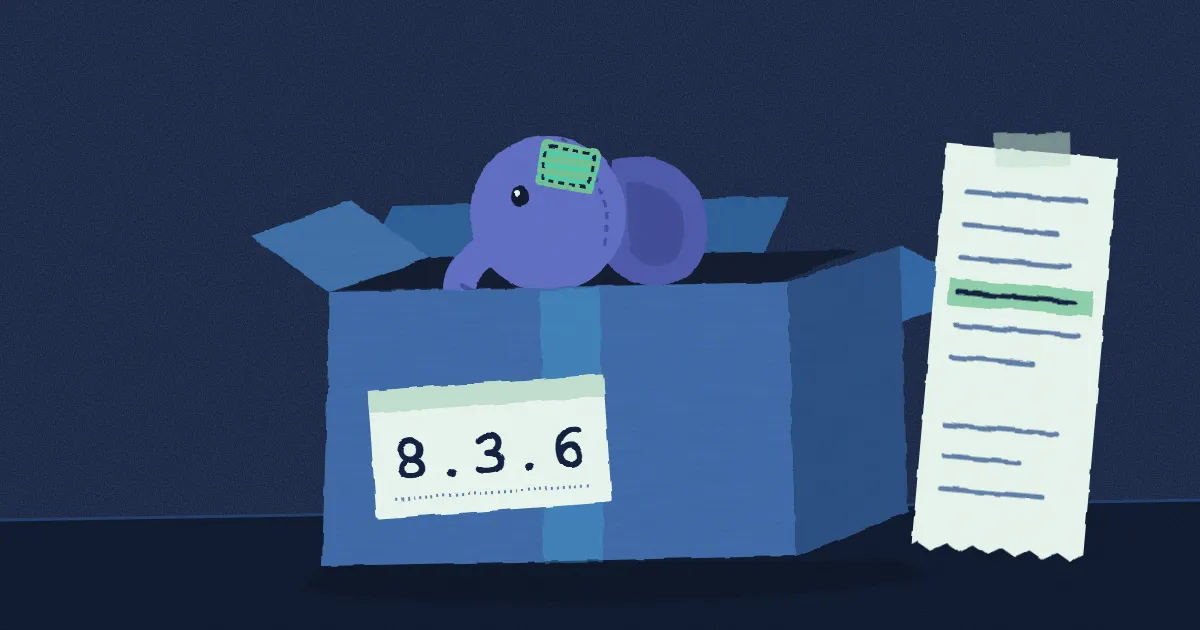
On October 21, 2026, php.net shipped 8.5.12, 8.4.27, 8.3.36 and 8.2.35 to fix PHP2Shell, the pair of core flaws tracked as CVE-2026-109618 and CVE-2026-109619. The natural reaction is to log into a server, run php -v and compare the number with that list. On many production servers that check gives the wrong answer. An Ubuntu 24.04 host that prints 8.3.6 is patched. A cPanel server running ea-php83 8.3.31 is not, even though its number looks more recent than Ubuntu's.
The reason is the backport: Ubuntu, Red Hat, AlmaLinux, cPanel and CloudLinux put the fix inside older versions and keep the original number. The official Docker image follows php.net numbering, but it only protects you once someone rebuilds and redeploys it. So there are two questions for every server: which package is installed, and whether the running processes have loaded it. This guide answers both, platform by platform, with the command each vendor gives and the trap each one documents.
Why php -v is the wrong check
The mechanism of both CVEs, the CVSS scores and the php.net mitigations are covered in our PHP2Shell analysis. Here the only question is whether the fix is really running on your servers. If you also need to know whether anyone got in before you patched, read our report on exploitation before disclosure.
The php.net advisory itself points away from the upstream number: "Linux distributions and LTS vendors received the patches in advance, so check your vendor for updated packages." A vendor that backports keeps the version string of the release it ships and changes only the package revision. AlmaLinux says it in one line: "Don't rely on php -v: our fixes are backported". For branches with no upstream release, php.net publishes source backports for 7.4, 8.0 and 8.1 in the PHP-7.4-CVE-2026-109618-109619, PHP-8.0-… and PHP-8.1-… branches of php-src, and packaged builds of those branches come from vendors.
The summary below tells you what to check before going into each platform:
| Platform | Does php -v tell you? | What to check |
|---|---|---|
| php.net source or own build | Yes | 8.5.12, 8.4.27, 8.3.36, 8.2.35 or later |
Official php Docker image | Yes, inside the deployed image | Rebuild, redeploy, review pinned tags |
| Ubuntu | No | Package version against the USN table |
| Debian | Partly | Package version with ~deb12u1 or ~deb13u1 |
| RHEL and AlmaLinux | No | rpm -q php-common against the RHSA or Alma table |
| cPanel EasyApache 4 | No for ea-php74 to 81 and CloudLinux builds | Grep the package changelog for the CVE |
| CloudLinux alt-php | No | The changelog loop from the KB |
Whatever the platform, the order is the same:
- List every PHP runtime on the host: system package, ea-php, alt-php, and the images your containers run.
- Upgrade with the vendor's command, not a generic one.
- Check the installed package, or its changelog, against the vendor's fixed version.
- Restart PHP-FPM, Apache,
lsphpand any long-running worker. - Confirm from the running service, not from your shell, which may use a different binary.
Ubuntu: 8.3.6 is a patched version
Canonical published USN-8948-1 for 26.10, 26.04 LTS, 24.04 LTS and 22.04 LTS, and USN-8948-2 for the older releases, both on October 21:
| Release | Package | Fixed version |
|---|---|---|
| 14.04 Trusty | php5 | 5.5.9+dfsg-1ubuntu4.29+esm18 |
| 16.04 Xenial | php7.0 | 7.0.33-0ubuntu0.16.04.16+esm22 |
| 18.04 Bionic | php7.2 | 7.2.24-0ubuntu0.18.04.17+esm14 |
| 20.04 Focal | php7.4 | 7.4.3-4ubuntu2.29+esm5 |
| 22.04 Jammy | php8.1 | 8.1.2-1ubuntu2.28 |
| 24.04 Noble | php8.3 | 8.3.6-0ubuntu0.24.04.13 |
| 26.04 Resolute | php8.5 | 8.5.4-0ubuntu1.5 |
| 26.10 Stonking | php8.5 | 8.5.9-0ubuntu2.1 |
From 22.04 onward the fix comes with standard support. For the rest, the Ubuntu blog is explicit: "Ubuntu 20.04 LTS and 18.04 LTS are covered by Expanded Security Maintenance (ESM), while Ubuntu 16.04 LTS and 14.04 LTS require ESM with the Legacy add-on." In other words, a 20.04 or 18.04 server needs ESM enabled to get this fix. The blog gives these commands:
apt list '?installed ?name(^php[0-9.]+$)'
sudo apt update && sudo apt install --only-upgrade '?name(^php[0-9.]+$)'
sudo systemctl restart apache2   # mod_php; or sudo reboot
To read both CVEs in the package changelog, as in step 2 of the animation, use zgrep -E "CVE-2026-10961(8|9)" /usr/share/doc/php8.3*/changelog.Debian.gz, a standard command the blog does not quote.
The trap here is automation that looks complete. The unattended-upgrades package installs the fix within about a day, but, as the same blog warns, the affected applications still need a restart or a reboot. A package at 8.3.6-0ubuntu0.24.04.13 with an FPM master started last week is still serving the old code.
Debian: the upstream number plus a suffix
Debian does move to the upstream release. DSA-6574-1 covers php8.4 in trixie: "For the stable distribution (trixie), these problems have been fixed in version 8.4.27-1~deb13u1." Debian LTS shipped DLA-4848-1 for php8.2 in bookworm. Both are dated October 21.
| Release | Package | Vulnerable | Fixed |
|---|---|---|---|
| bookworm (12) | php8.2 | 8.2.32-1~deb12u1 | 8.2.35-1~deb12u1 |
| trixie (13) | php8.4 | 8.4.24-1~deb13u1 | 8.4.27-1~deb13u1 |
| forky, sid | php8.4 | n/a | 8.4.27-1 |
That is why php -v is only half an answer on Debian: it tells you the upstream base, while the suffix tells you whether you have Debian's build of it. Check the package with dpkg -l 'php8.*' or apt-cache policy php8.4, standard Debian tools rather than commands from the advisory. The security tracker has the status per release for each CVE.
Red Hat Enterprise Linux: "Important", with modules and streams
Red Hat rates both CVEs as "Important", not "Critical", with a public date of October 21, 14:00 UTC. Its CVE-2026-109618 page, the CVE-2026-109619 page (the one with RHEL 7 ELS) and the Security Data API list the advisories. Advisories by release:
| Product | Advisory | Fixed package |
|---|---|---|
| RHEL 10 | RHSA-2026:87070, :87071 | php-8.3.36-1.el10_2, php8.4-8.4.27-1.el10_2 |
| RHEL 9 | RHSA-2026:87151 | php-8.0.30-8.el9_8.1 |
| RHEL 9 | RHSA-2026:87072, :87079 | php:8.2 and php:8.3 modules |
| RHEL 8 | RHSA-2026:87073, :87080 | php:8.2 and php:7.4 modules |
| RHEL 7 ELS | RHSA-2026:88693 | php-5.4.16-48.el7_9.1, CVE-2026-109619 only |
RHEL 9 fixing PHP 8.0.30, a branch php.net no longer maintains, is the clearest backport example in this guide. On October 23 Red Hat added advisories for RHEL 10.0 EUS and for the EUS, AUS, TUS and SAP streams of 8.4 through 9.6; the API has the full list. Two statuses deserve attention. On RHEL 9 the php:8.4 stream was still listed as "Affected", with no fix, when we checked. RHEL 7 is "Not affected" by CVE-2026-109618, and RHEL 6 is "Out of support scope".
Check with rpm -q php-common or rpm -q php-cli and compare against the advisory. dnf updateinfo list --cves CVE-2026-109618 also works on RHEL; it is a standard dnf command, not one Red Hat quotes for this case.
AlmaLinux: patched builds below upstream numbers
The AlmaLinux announcement moved its packages to production on October 21 at 21:15 UTC. The fixed builds keep their original numbers: AlmaLinux 10 ships php8.4-8.4.24-1.el10_2.alma.1, patched, while the upstream fix is 8.4.27. EL8 covers the php:7.2, 7.3, 7.4, 8.0 and 8.2 streams; EL9 covers the base php 8.0 package and the php:8.1, 8.2 and 8.3 streams; EL10 covers php 8.3 and php8.4. Each exact build is in the announcement. The commands:
sudo dnf clean metadata && sudo dnf upgrade 'php*'
sudo systemctl restart php-fpm        # or httpd with mod_php on EL8
rpm -q php-common
rpm -q php8.4-common                  # PHP 8.4 on AlmaLinux 10
The retired streams (php:7.2, 7.3 and 8.0 on EL8, php:8.1 on EL9) are patched this time, but AlmaLinux warns that "future fixes for retired streams are not guaranteed." If you run one of them, this fix buys time, not a support plan.
Official Docker image: the number is right, the image may not be
The php image is the exception to the backport rule. The docker-library commit "[security] Update to 8.5.12, 8.4.27, 8.3.36, 8.2.35", by jnoordsij, landed on October 21 at 13:44 UTC and was merged through PR #1694 at 14:19 UTC. It covers the cli, fpm, zts and apache variants on alpine3.23, alpine3.24, bookworm and trixie. The commit points PHP_URL at the php.net tarballs: the image builds PHP from upstream sources, so php -v inside it does reflect upstream. Docker Hub shows the 8.5.12-* tags updated again on October 23; the reason is not stated.
The risk is the image nobody rebuilds: a tag pinned to a digest or to an old patch release such as php:8.3.30-fpm, and every in-house image built on top of one. Microsoft's guidance applies to any registry: "Rebuild and redeploy container images that include their own PHP runtime, since updating the host does not update PHP inside an image." Check what is actually deployed, not what the Dockerfile says (a generic Docker command):
docker run --rm <image> php -r 'echo PHP_VERSION, PHP_EOL;'If the image installs PHP from apt or dnf on an Ubuntu or Debian base instead of FROM php:, the distro package rule applies, not the number.
cPanel and EasyApache 4: read the changelog
The cPanel support article, last updated October 22, lists these fixed builds:
| Product | Fixed versions |
|---|---|
| cPanel & WHM | 11.110.0.153, 11.134.0.66, 11.136.0.50, 11.138.0.18; WP Squared 11.138.1.17 |
| cPanel EasyApache 4 | ea-php74 7.4.33-19, ea-php80 8.0.30-12, ea-php81 8.1.34-5, ea-php82 8.2.35, ea-php83 8.3.36, ea-php84 8.4.27, ea-php85 8.5.12 |
| CloudLinux EasyApache 4 | ea-php52 5.2.17-27 to ea-php81 8.1.34-4, ea-php82 8.2.34-2, ea-php83 8.3.35-2, ea-php84 8.4.26-2, ea-php85 8.5.11-2 |
cPanel puts it this way: "At this time we have released updates to PHP versions ea-php74 and above". Below that, it points elsewhere: "For PHP versions older than 7.4, TuxCare Extended Lifecycle Support (ELS) for PHP should be used". The article's check reads the package changelog, which is the reliable signal on a host that mixes upstream and backported builds:
yum clean all && yum makecache        # CentOS/RHEL; on Ubuntu: apt clean && apt update
/scripts/update-packages
rpm -q --changelog ea-php81-php-cli | grep -m1 CVE-2026-109618
zgrep -E 'CVE-2026-109618' /usr/share/doc/ea-php81-php-cli/changelog.Debian.gz   # cPanel on Ubuntu
Repeat with php81 replaced by every version installed on the server.
CloudLinux: alt-php, ea-php and their traps
The CloudLinux knowledge base lists fixed alt-php builds from alt-php52 (5.2.17-242) to alt-php85 (8.5.11-5 or 8.5.12-1), the same release on CloudLinux OS 7, 8 and 9. Its rule matches the rest of this guide: "ea-php and most alt-php builds carry the fix as a backport, so their PHP version stays below the php.net release. Check the changelog instead of the version number." It also gives the counterexample that catches people: "An older ea-php version, for example ea-php83 8.3.31, predates the fix and is not patched." And "alt-php44 and alt-php51 have no fixed build." The KB loop prints one count per installed package; every package must show 1 or more:
yum clean all && yum update 'alt-php*' 'ea-php*' -y
for p in $(rpm -qa 'ea-php*-php-cli' 'alt-php*-common' --qf '%{NAME}\n'); do echo "$p $(rpm -q --changelog $p | grep -cE 'CVE-2026-(109618|109619)')"; done
The KB documents four traps that make a correct upgrade look like a failure, or the reverse:
- Disabled repository: without
cl-ea4enabled, the update answers "Nothing to do" and you think you are current. - Surviving
lsphp: on LiteSpeed a restart does not always kill thelsphpprocesses; "kill them as well", for example withpkill lsphp. - Security filters are blind: "yum --security and dnf updateinfo do not list these updates" for alt-php and cl-ea4 on CloudLinux OS 7, 8 and 9, so a security-only update run skips them.
- Rebased builds: the OS builds rebased to 8.2.35 or 8.3.36 "do not name the CVEs in the changelog, so check rpm -q php-cli for those."
Azure WAF: a rule that does not block
Microsoft's Azure Network Security blog starts where this guide does: "Upgrade all PHP deployments to a patched version, including virtual machines, containers, base images, and platform runtimes." For Azure Front Door WAF it adds managed rule 99006001, in the MS-ThreatIntel-Response-CVEs group of DRS 2.0, 2.1 and 2.2. Read the fine print before counting on it. The default state is disabled ("Customers need to enable the rule."), the rollout is "expected to complete October 28", and "Unlike other WAF rules, this rule does not block or challenge any traffic." What it does is strip suspicious elements from the response, and only when its action is Block on anomaly. For Application Gateway WAF the post describes custom rules and a header rewrite mitigation. Microsoft's own framing is the right one: "Treat the Azure WAF mitigations below as a temporary, supplementary measure."
PHP past end of life
For 7.4, 8.0, 8.1 and older, php.net only offers source backports. The packaged fixes confirmed so far come from vendors: Ubuntu ESM (php5, php7.0, php7.2, php7.4), RHEL (php 8.0.30 on 9, the php:7.4 module on 8, php 5.4 on RHEL 7 ELS for CVE-2026-109619), AlmaLinux retired streams, cPanel ea-php74 to 81 and CloudLinux alt-php 5.2 to 8.1. For versions below 7.4 on cPanel, the vendor's answer is TuxCare ELS. If none of these covers you, the fix is to upgrade to a supported branch.
Frequently asked questions
My server shows PHP 8.3.6. Is it vulnerable?
Not necessarily. On Ubuntu 24.04 the package 8.3.6-0ubuntu0.24.04.13 carries the fix. Check the package version with apt list, not the number php -v prints, and restart the services afterwards.
I updated the packages. Why would I still be exposed?
Because the processes already running keep the old binary in memory until they restart. Restart PHP-FPM, Apache with mod_php, lsphp and any worker. For containers, updating the host changes nothing: rebuild and redeploy the image.
Is enabling the Azure WAF rule enough?
No. Rule 99006001 is disabled by default and does not block or challenge traffic. Microsoft calls its WAF mitigations temporary and supplementary; the fix is the upgrade.
Conclusion
Patching PHP2Shell is easy. Proving it is patched is where teams fail, because the obvious check, php -v, is unreliable on Ubuntu, RHEL, AlmaLinux, cPanel and CloudLinux, and the obvious fix, updating the host, does nothing for containers. The rule that works everywhere is short: check the package or its changelog against the vendor's fixed version, then restart every process that loaded PHP. Neither CVE was in the CISA KEV catalog when we checked on October 24, which is no reason to wait.
Pick one server per platform today, run the vendor's check and write down the result. Then do the same with your container registry. For more hands-on guides like this one, follow the Nippysoft blog.
References
- CVE-2026-109618 — NVD Detail: nvd.nist.gov/vuln/detail/CVE-2026-109618
- CVE-2026-109619 — NVD Detail: nvd.nist.gov/vuln/detail/CVE-2026-109619
- php.net — 8.5.12, 8.4.27, 8.3.36 and 8.2.35 security release: php.net/archive/2026.php#2026-10-21-5
- Ubuntu — USN-8948-1, PHP vulnerabilities: ubuntu.com/security/notices/USN-8948-1
- Debian — DSA-6574-1, php8.4 security update: debian.org/security/2026/dsa-6574
- Red Hat — CVE-2026-109618 page: access.redhat.com/security/cve/CVE-2026-109618
- docker-library/php — Security update commit: github.com/docker-library/php/commit/f6048b5f6e3c2202ee082665a4ccc0d90de291a3
- cPanel — Critical PHP Security Release, CVE-2026-109618 and CVE-2026-109619: support.cpanel.net/hc/en-us/articles/44397389677335
Tags
Share this post
Subscribe
Get the latest posts delivered right to your inbox.



Leave a comment