.NET Development
Moving to .NET 11: 8 changes to check first, 6 compile without an error
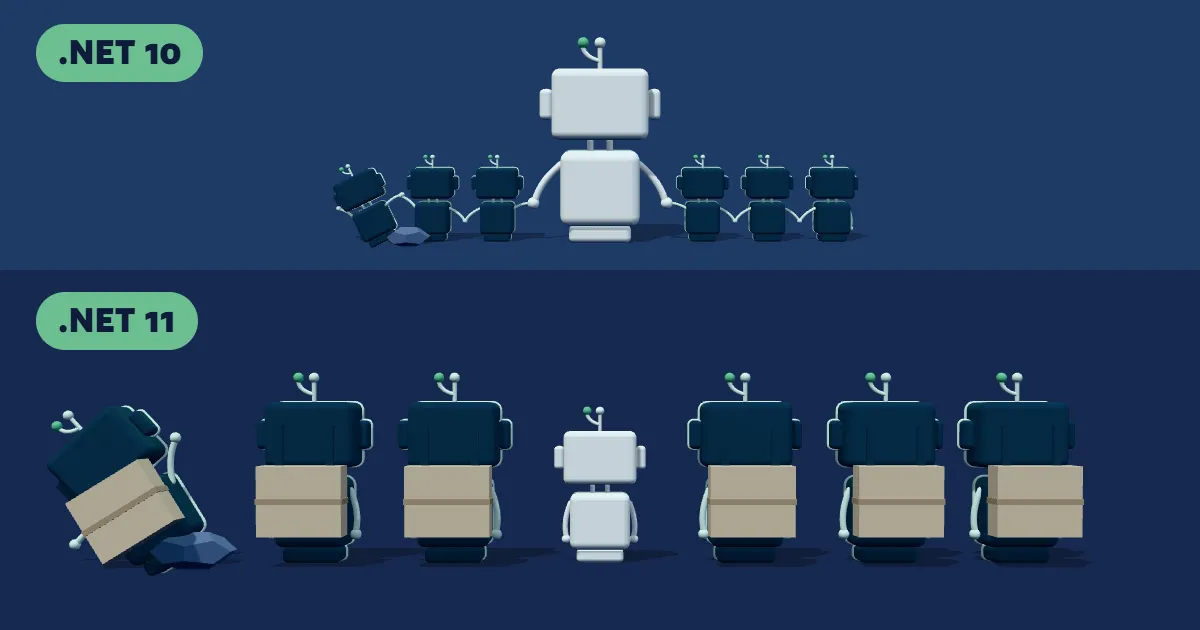
.NET 11 shipped on November 10, 2026. For a project already on .NET 10, the move looks small: change the target framework to net11.0, update the packages, build. If it builds, it is tempting to call it done.
This post walks through 8 breaking changes in .NET 11, ASP.NET Core 11 and EF Core 11 worth checking before the upgrade. In six of them the compiler stays quiet: the code builds as before and the problem shows up at run time. Three of those six were tested with the same program on .NET 10 and on .NET 11.
Why the change that compiles is the dangerous one
A compile error is the best case. It shows up on the machine of whoever runs the upgrade, before any deployment, and it names the line to fix. A behavior change gives no warning: tests pass unless they cover that exact case, and the failure arrives later as an amount that does not add up, a process that keeps restarting or a field that vanishes from the database.
Microsoft sorts the two kinds apart in its breaking change lists. It labels what stops compiling as "Source incompatible" and what compiles and then does something else as "Behavioral change".
When moving to .NET 11 makes sense
Version 11.0.0 is dated November 10, 2026, and it is an STS (standard-term support) release. According to the .NET releases table, its support ends on November 14, 2028, the same day as .NET 10, which is LTS (long-term support).
That date changes a piece of advice on this blog. The post on the end of support for .NET 8 and .NET 9 was written while .NET 11 was at RC3 with no end-of-support date published, so it advised against making it the target when leaving an LTS. Now that the date is out, moving to 11 gives no less patch time than staying on 10.
What remains is this list: .NET 11 brings these changes and .NET 10 does not. Teams leaving .NET 8 or .NET 9 get the same end of support from either one. Teams already on .NET 10 are under no support pressure and can decide based on whether what .NET 11 adds is worth the review.
The six that compile without an error
They are ordered by the damage they can do. The first one deletes data; the last one changes what monitoring dashboards show.
Cosmos DB drops the fields the model does not map
Up to EF Core 10, when a Cosmos DB document had JSON properties the EF model did not map, EF Core kept them on the side and wrote them back on the next SaveChanges. EF Core 11 ignores those properties on read, and the EF Core 11 breaking changes page warns: "Any extra properties that are not part of the EF model will be lost if the entity is subsequently saved."
An example: another service adds a field to the order documents, and the EF entity does not have it yet. A screen loads an order, changes its status and saves it. There is no exception and no warning, and the other service's field is gone from the document.
The fix is to map every property that has to survive in the model, or to use CosmosClient directly wherever EF does not own the whole document.
Math.Round with digits returns a different number
Up to .NET 10, Math.Round(value, digits, mode) multiplied by a power of ten, rounded and divided back. In .NET 11 the result comes from the exact value stored in the double, using arbitrary-precision arithmetic. The change page notes that with the old method "roughly 5% of random values across the supported digits range differed from the correctly rounded result".
The classic case is 655.925. That number does not exist as a double: what gets stored is 655.924999999999954525264911354, just below the midpoint. .NET 10 rounded it up and .NET 11 rounds it down. The same program, run on both runtimes, printed this:
| Expression | .NET 10 (10.0.12) | .NET 11 (11.0.0) |
|---|---|---|
Math.Round(655.925, 2, MidpointRounding.AwayFromZero) | 655.93 | 655.92 |
655.925.ToString("F2") | 655.92 | 655.92 |
Math.Round(1111111111111111.5, 1, MidpointRounding.AwayFromZero) | 1111111111111111.6 | 1111111111111111.5 |
Math.Round(1.5, 16) | throws ArgumentOutOfRangeException | 1.5 |
Math.Round(655.925m, 2, MidpointRounding.AwayFromZero) | 655.93 | 655.93 |
The bug was in .NET 10, and .NET 11 fixes it: Math.Round now agrees with what ToString("F2") already printed, and asking for many digits no longer throws: only a negative digits value does. The decimal overloads stay the same, as the last row shows, and so do the single-argument ones. What breaks are tests with hand-written expected values, amounts stored in a database and any comparison with a system that still rounds the old way.
For base-10 quantities such as money, Microsoft recommends rounding with decimal. To keep the old result on a double, write by hand what .NET 10 did: it only scaled values below 1e16 and returned larger ones untouched, Math.Abs(value) < 1e16 ? Math.Round(value * pow10, mode) / pow10 : value. Without that condition, the formula Microsoft gives drifts from .NET 10 on values from 1e16 up, and with 1e300 and 15 digits the multiplication overflows and it returns Infinity, where .NET 10 returned 1E+300. With the condition, it matches .NET 10.
A failing BackgroundService no longer exits with code 0
With the default HostOptions.BackgroundServiceExceptionBehavior, which is StopHost, an exception in a BackgroundService stops the host. On .NET 10 the task returned by RunAsync completed normally and the process exited with code 0. On .NET 11, RunAsync, StopAsync, WaitForShutdownAsync and their synchronous versions fail with the service's exception; if several services fail, their exceptions come together in an AggregateException.
Here is the worker, with logging turned off so only the exit code shows:
var builder = Host.CreateApplicationBuilder(args);
builder.Logging.ClearProviders();
builder.Services.AddHostedService<FailingWorker>();
using var host = builder.Build();

await host.RunAsync();
Console.WriteLine($"RunAsync completed without an exception on {Environment.Version}");

sealed class FailingWorker : BackgroundService
{
    protected override async Task ExecuteAsync(CancellationToken stoppingToken)
    {
        await Task.Delay(200, stoppingToken);
        throw new InvalidOperationException("Queue connection lost");
    }
}
On .NET 10 it printed RunAsync completed without an exception on 10.0.12 and exited with 0: nothing showed that the service had failed. On .NET 11, RunAsync rethrew System.InvalidOperationException: Queue connection lost and the process ended with -532462766 (0xE0434352), the Windows code for an unhandled .NET exception. On Linux the code will differ; that was not tested.
The change surfaces a failure that used to go unnoticed, and Microsoft's recommended action is to do nothing. What needs a review is everything that reads the exit code: systemd or Kubernetes restart policies, CI scripts and tests that expect a 0. To keep the 0, wrap await host.RunAsync() in a try/catch, as the change page shows.
Each of those systems feels it differently:
- Kubernetes Job: a 0 counts as success, so on .NET 10 a Job whose service had failed ended as completed. On .NET 11 the Job retries, waiting longer each time, and once it reaches
backoffLimit, 6 by default, it is marked as failed, according to the Job documentation. WithrestartPolicy: OnFailurethe retries restart the same container, and when they repeat,kubectlmay show the pod inCrashLoopBackOff, as the Pod lifecycle page explains. - Kubernetes Deployment: it uses
restartPolicy: Alwaysand already restarted the container on any exit code. What changes is the exit codekubectlreports. - systemd:
Restart=on-failurerestarts the service when the process ends with an exit code other than 0 or is killed by a signal, according to the systemd.service documentation. A failed worker that .NET 10 left down gets restarted on .NET 11. - Monitoring: alerts and scripts that read the exit code start seeing failures they used to miss.
EF Core 11 assumes SQL Server 2022
EF Core 10 generated SQL for compatibility level 150, the SQL Server 2019 level. EF Core 11 defaults to 160, the SQL Server 2022 level, and with it some queries start using LEAST and GREATEST, including the translations of Math.Min and Math.Max. The GREATEST documentation lists it as available from SQL Server 2022.
For the query db.Products.Select(p => new { p.Id, Price = Math.Max(p.ListPrice, p.MinPrice) }), with no level set, EF Core 10.0.14 generates this, and Math.Max runs in the application:
SELECT [p].[Id], [p].[ListPrice], [p].[MinPrice]
FROM [Products] AS [p]
EF Core 11.0.0, with the same code, moves the calculation to the server:
SELECT [p].[Id], GREATEST([p].[ListPrice], [p].[MinPrice]) AS [Price]
FROM [Products] AS [p]
Against SQL Server 2019, or a database with a compatibility level below 160, Microsoft warns that some of that SQL "may no longer be supported by the database": a query that used to work fails when it runs. That SQL comes from ToQueryString() with no server, so the actual error from a SQL Server 2019 instance was not verified.
The fix is to pin the level of the real database:
optionsBuilder.UseSqlServer("<connection string>", o => o.UseCompatibilityLevel(150));At 150, EF Core 11 generated exactly the EF Core 10 SQL. That includes the old limit: the same Math.Max inside a Where failed again with InvalidOperationException because it cannot be translated, just as on EF Core 10.
Entra ID authentication needs a separate package
EF Core 11 depends on Microsoft.Data.SqlClient 7; version 11.0.0 brings 7.1.1. According to the SqlClient 7.0.0 release notes, the core package no longer brings Azure.Core or Azure.Identity, and Entra ID authentication moved to Microsoft.Data.SqlClient.Extensions.Azure. This affects ActiveDirectoryDefault, ActiveDirectoryInteractive, ActiveDirectoryManagedIdentity and ActiveDirectoryServicePrincipal, which covers service principals and managed identity as well.
No code changes, so it compiles. The failure comes when connecting: "Cannot find an authentication provider for 'ActiveDirectoryDefault'. Install the 'Microsoft.Data.SqlClient.Extensions.Azure' NuGet package to use Active Directory (Entra ID) authentication methods." DistributedSqlServerCache is affected as well. The fix is to add the package, with no code changes:
dotnet add package Microsoft.Data.SqlClient.Extensions.AzureGive it the same version as Microsoft.Data.SqlClient, because the ASP.NET Core and EF Core docs do not show the same one. The ASP.NET Core page also places the change in SqlClient 6.0; the SqlClient notes and the EF Core page place it in 7.0.
HTTP telemetry changes shape
ASP.NET Core 11 now emits, by default, the OpenTelemetry HTTP semantic-convention tags on each request's activity, such as http.request.method, http.response.status_code and url.path. Three effects come without a warning:
- With conventional routes,
http.routecarries the route with values filled in. A request toStore/CheckoutreportsStore/Checkout/{id?}instead of{controller=Home}/{action=Index}/{id?}, and dashboards that group by that tag stop lining up with the old ones. - On an unhandled exception,
Activity.Statusis set toError, butActivity.StatusDescriptionstays empty. The exception is still recorded as an activity event withexception.type,exception.messageandexception.stacktrace; an alert that read the description gets no text. - The
http.server.request.durationmetric adds anerror.typedimension for 5xx responses, and with it more series to store.
If the project also uses OpenTelemetry.Instrumentation.AspNetCore, tags can show up twice, and the change page recommends upgrading that package to the latest version. A switch brings the old tags back:
AppContext.SetSwitch("Microsoft.AspNetCore.Hosting.SuppressActivityOpenTelemetryData", true);The switch only restores the tags. The http.route and Activity.StatusDescription changes "can't be reverted independently".
The two that do warn, and what they leave out
OpenAPI: the compiler flags 3.x, not 3.2
ASP.NET Core 11 now depends on Microsoft.OpenApi 3.x. The OpenAPI.NET 3 upgrade guide sums up the breaking changes; one is that the Attribute and Wrapped booleans on OpenApiXml are gone, replaced by NodeType. A custom transformer that sets them stops compiling. The guide shows the before and after:
// Before
var xml = new OpenApiXml
{
    Attribute = true,
    Wrapped = false
};

// After
var xml = new OpenApiXml
{
    NodeType = OpenApiXmlNodeType.Attribute
};
That error is visible and fixable. The silent part sits in the dependencies: according to the change page, a library already compiled against 2.x raises no error in the project's build and fails at run time, when the app loads 3.x. Learn does not give the text of that error.
The OpenAPI change that really gives no warning is a different one: the document the app generates moves from OpenAPI 3.1 to 3.2 by default. A tool that does not read 3.2 yet, such as a client generator, can break even though the project did not change. To stay on 3.1, the page for that change gives this line for the OpenAPI options:
options.OpenApiVersion = Microsoft.OpenApi.OpenApiSpecVersion.OpenApi3_1;NU1510: the warning shows, the output folder does not
.NET 11 moves nine Microsoft.Extensions.* libraries into the shared framework itself, among them the logging, configuration and dependency injection abstractions. A project that references them as packages gets warning NU1510 at build time, and the build only breaks with TreatWarningsAsErrors.
The rest is not visible. Those DLLs are no longer copied to the output folder, so a deployment script that expects them fails. With old versions of those packages there can also be run-time errors such as MissingMethodException or TypeLoadException.
In a project that targets only net11.0, the fix is to remove the PackageReference. In a multi-targeted project the warning does not appear, because the older target still needs the package; there the reference can be limited with Condition="'$(TargetFramework)' != 'net11.0'", as the change page suggests.
Other EF Core 11 changes worth a look
The EF Core 11 breaking changes page lists more than the ones above. Four of them can show up in an ordinary upgrade, and the first two give no error at all:
SqlVector<T>is no longer loaded. SQL Server vector properties are left out of theSELECTwhen entities are materialized, so they come backnull, with no exception and no warning. They still work inWHEREandORDER BY, withVectorDistance()andVectorSearch(). Reading a vector back takes an explicit projection, such as.Select(b => new { b.Id, b.Embedding }).- Cosmos DB stops escaping illegal
idcharacters. When it built a documentidfrom a composite key, EF Core 10 escaped/,\,?and#(a slash became^2F); EF Core 11 keeps them raw. Documents saved earlier with those characters carry the escapedid, and EF Core 11 no longer finds them, without an error. To keep reading them without migrating the data, there isAppContext.SetSwitch("Microsoft.EntityFrameworkCore.EscapeIllegalCosmosIdCharacters", true);, which also brings back the bug the escaping was dropped for: two different keys could land on the same document. Migrate()throws when there are no migrations. On EF Core 10,Migrate()orMigrateAsync()with no migrations in the assembly logged an informational message and carried on; EF Core 11 throws. If the schema is managed some other way, remove the call or ignore the event withoptions.ConfigureWarnings(w => w.Ignore(RelationalEventId.MigrationsNotFound)); withw.Loginstead ofw.Ignore, it goes to the log.- Cosmos DB no longer allows sync I/O. Since EF Core 9, calling
ToListorSaveChangesagainst Cosmos DB threw unless an opt-in was configured; EF Core 11 always throws and the opt-in is gone. The fix is to move to the async versions, such asawait SaveChangesAsync().
Checklist before upgrading
- Cosmos DB: look for containers with fields the EF model does not map, or that other services write to.
- Rounding: search for
Math.RoundandMathF.Roundwith a digits argument, especially in amounts and in tests with fixed values. - Workers: check what every system that restarts the process does with the exit code, and the tests that expect a 0.
- SQL Server: check the server version and each database's compatibility level; if it is below 160, pin it with
UseCompatibilityLevel. - Entra ID: if the connection uses managed identity, a service principal or another Entra ID method, add
Microsoft.Data.SqlClient.Extensions.Azure. - Telemetry: review dashboards and alerts that use
http.routeorStatusDescription, and upgradeOpenTelemetry.Instrumentation.AspNetCore. - OpenAPI: build the custom transformers, review libraries compiled against
Microsoft.OpenApi2.x and pin the document version if a tool cannot read 3.2. - Packages: deal with every NU1510 and review deployment scripts that copy
Microsoft.ExtensionsDLLs. - Other EF Core 11 changes: look for
SqlVector<T>properties that are read back, Cosmos DB composite keys with/,\,?or#,Migrate()calls in projects without migrations, and sync I/O against Cosmos DB.
The official .NET 11 list says it is not complete: "This article is a work in progress. It's not a complete list of breaking changes in .NET 11." Depending on what each project uses, the ASP.NET Core 11 and EF Core 11 lists are worth a pass too.
The tests ran on November 17, 2026, on Windows 11, with SDK 10.0.401 (runtime 10.0.12) and SDK 11.0.100 (runtime 11.0.0), and with EF Core 10.0.14 and 11.0.0. The other five changes, and the four extra EF Core 11 ones, come from Microsoft's documentation as of that date and were not reproduced; the Kubernetes and systemd behavior comes from their official documentation.
References
- Breaking changes in .NET 11 (learn.microsoft.com)
- Breaking changes in ASP.NET Core 11 (learn.microsoft.com)
- Breaking changes in EF Core 11 (EF11) (learn.microsoft.com)
- .NET releases (github.com/dotnet/core)
- Math.Round and MathF.Round return correctly rounded results (learn.microsoft.com)
- IHost.RunAsync and IHost.StopAsync throw when a BackgroundService fails (learn.microsoft.com)
- Microsoft.Data.SqlClient 7.0.0 release notes (github.com/dotnet/SqlClient)
- ASP.NET Core hosting emits OpenTelemetry HTTP semantic-convention tags by default (learn.microsoft.com)
Tags
Share this post
Subscribe
Get the latest posts delivered right to your inbox.



Leave a comment