.NET Development
.NET 8 and .NET 9 End of Support on November 10, 2026: What to Do Now
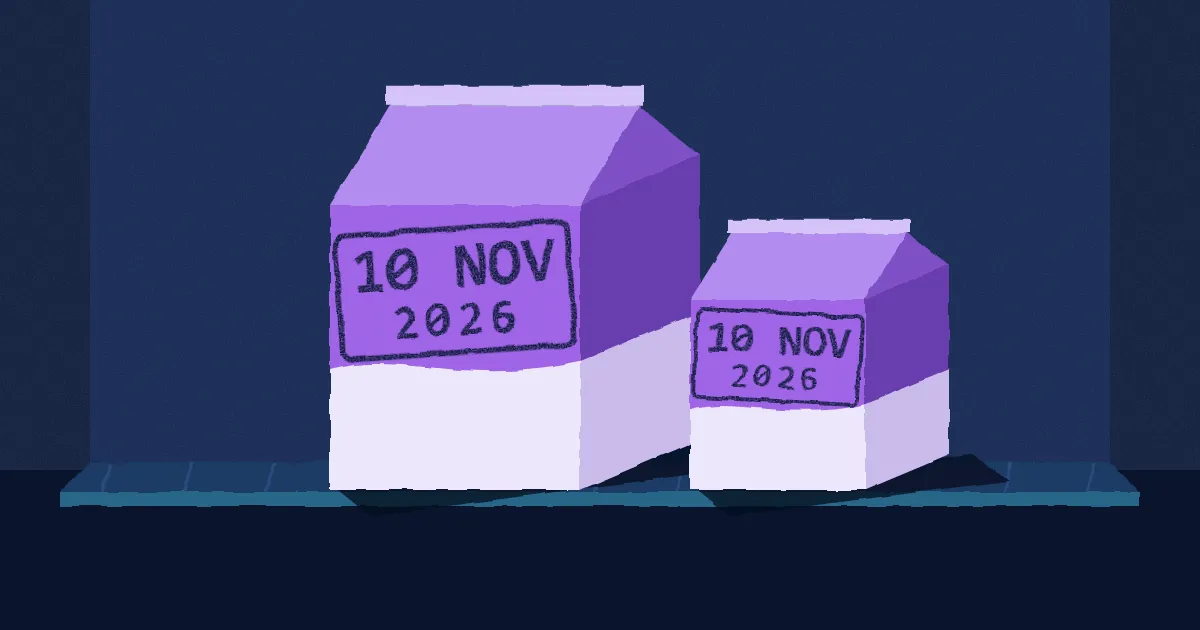
On November 10, 2026, .NET 8 and .NET 9 lose support on the same day. Microsoft confirmed it on the .NET Blog on June 29: ".NET 8 and .NET 9 will reach end of support on November 10, 2026." An LTS and an STS release reach end of support together, so any team running ASP.NET Core APIs or .NET services in production on either version stops receiving security patches on that date.
There is urgent work before then. On October 25, Microsoft shipped an out-of-band security release, 8.0.33 and 9.0.22, that fixes a critical flaw in the Brotli decoder and finishes a fix that the October 13 release left incomplete. This article follows the order we would use ourselves: find out which version each application runs, install the October 25 patch today, and plan the move to .NET 10, the LTS release supported until November 14, 2028. A checklist at the end gives your team something concrete to walk through.
Why .NET 8 and .NET 9 end on the same day
.NET 8 is an LTS (Long Term Support) release and .NET 9 is an STS (Standard Term Support) release. Under the old rule an STS release got 18 months, and .NET 9 was due to end earlier. Microsoft says so in its September 16, 2025 announcement: ".NET 9 was scheduled to reach end of support on May 12, 2026."
The same announcement changed the rule: "We are increasing the length of support offered for .NET Standard Term Support (STS) releases from 18 months to 24 months. This change is effective starting with .NET 9, which means .NET 9 will now reach end of support on November 10, 2026." The support policy puts it simply: "STS releases get free support and patches for two years." Hence the overlap: "This means that .NET 8 and .NET 9 will reach end of support on the same day."
In practice, the intermediate step is gone. A team on .NET 8 used to be able to move to .NET 9 and buy a few months. Now both doors close at once, and the only destination with long support is .NET 10.
| Version | Type | Latest release (Oct 25, 2026) | SDK | End of support |
|---|---|---|---|---|
| .NET 8 | LTS | 8.0.33 | 8.0.427 / 8.0.133 | Nov 10, 2026 |
| .NET 9 | STS | 9.0.22 | 9.0.320 / 9.0.123 | Nov 10, 2026 |
| .NET 10 | LTS | 10.0.14 | 10.0.403 / 10.0.114 | Nov 14, 2028 |
| .NET 11 | STS, go-live | 11.0.0-rc.3 | 11.0.100-rc.3.26522.148 | No channel date; RC3 go-live until Nov 10, 2026 |
Source: the official releases-index.json and each channel's releases.json. The support policy also lists 8.0.33 and 9.0.22 as the "Latest patch version", dated October 25, 2026.
What changes on November 10, and what does not
Nothing gets switched off. Microsoft's post is explicit: "Applications built on .NET 8 or .NET 9 will continue to run." Everything around them stops:
- Security patches: no more security updates for .NET 8 or .NET 9.
- Technical support: Microsoft no longer provides technical support for either version.
- Container images: the dotnet-docker documentation states that "When a .NET version or an OS version reaches end of support (sometimes referred to as end-of-life or EOL), its tags will no longer be supported." It adds: "Unsupported tags and images can still be pulled, but they will no longer receive updates for any reason."
- Visual Studio: in a future Visual Studio 2022 update, "the .NET 8 and .NET 9 components will be marked as out of support". Existing installations are not affected.
Containers are where this bites quietly. Picture an internal API on Kubernetes built on a .NET 8 base image. On November 11 the image still pulls, the pipeline is still green, and the service answers exactly as it did the day before. Nothing alerts anyone. Yet every CVE published after that date stays open in that image for good, because it will not get updates "for any reason".
The usual mistake is treating "still runs" as "still safe". Each month without migrating adds known, unfixed flaws to the pile.
Step 0: find out which version each application runs
You cannot plan a migration without an inventory. Microsoft documents three commands to see what is installed on a machine or inside a container:
dotnet --list-runtimes
dotnet --list-sdks
dotnet --info
--list-runtimes shows each installed runtime with its exact version, and --list-sdks does the same for SDKs. As the documentation puts it, "You can see both the SDK versions and runtime versions with the command dotnet --info."
For framework-dependent apps, the installed runtime tells you which patch executes, and the project file tells you which version the code targets: an app can target net8.0 and still run on a server stuck at 8.0.32. Self-contained apps carry their own runtime, which dotnet --list-runtimes does not show. In a large repository, two quick searches give you the map:
grep -rn --include='*.csproj' "<TargetFramework" .
grep -rn --include='Dockerfile*' "FROM" .
The first finds <TargetFramework> and <TargetFrameworks>; the second lists base images, where the 8.0 and 9.0 tags are the ones to move. Together they tell you how many services are in scope and which ones share a base image.
Step 1, today: install 8.0.33 or 9.0.22
On October 25, 2026, Microsoft shipped 8.0.33, 9.0.22, 10.0.14 and .NET 11 RC3 outside the monthly schedule. The 8.0.33 release notes explain why: "We are releasing this out-of-band (OOB) security update, outside our regular monthly servicing schedule, to address CVE-2026-111497 (Brotli decoder out-of-bounds write). This release also includes a fix for CVE-2026-114148 (Linux .NET tarball ownership)." The .NET Blog adds: "We recommend updating as soon as possible."
The versions to install are 8.0.33 (SDK 8.0.427) and 9.0.22 (SDK 9.0.320). Do not stop at 8.0.32 or 9.0.21 from October 13; the section below explains why they are not enough. For self-contained apps, installing the new runtime on the host is not enough; the October 25 post says: "Rebuild and republish with the updated runtime." According to the cve-list in each releases.json, 8.0.33 and 9.0.22 fix three CVEs, while 10.0.14 and 11 RC3 fix those three plus CVE-2026-102870.
CVE-2026-111497: the Brotli decoder
This is an out-of-bounds write in Google's Brotli decoder, affecting Brotli 1.0.3 through 1.2.0, per its cve.org record. There are two scores, and they should not be mixed up. Google, which assigned the CVE, rates it 9.2 CRITICAL under CVSS 4.0 (NVD entry). Microsoft's advisory rates it 8.1 under CVSS 3.1, with "Critical" severity and an elevation of privilege impact. Microsoft lists it as publicly disclosed, not exploited, and "Exploitation More Likely".
Not every application is exposed. The 8.0.33 notes narrow it down: "Applications are affected if they use Brotli decompression through ASP.NET Core request decompression, HttpClient automatic response decompression, or the System.IO.Compression Brotli APIs. Automatic request and response decompression are not enabled by default. .NET Framework is not affected."
Automatic decompression is usually a performance choice, turned on to save bandwidth with large request bodies or with APIs that respond compressed. If your team enabled it, or you call the System.IO.Compression Brotli APIs, you are in the affected group. If not, the risk is lower, but you still install the patch for CVE-2026-70197.
CVE-2026-70197: the October 13 fix was incomplete
The 8.0.33 notes are candid about it: "we are re-releasing the advisory for CVE-2026-70197 (SocketAsyncEventArgs memory corruption) because the October 13, 2026 release did not fully address this issue. Today's update provides the fix." Microsoft's advisory rates it "Important", CVSS 3.1 8.1, remote code execution, with its latest revision dated October 25 (also listed on NVD).
Watch out for a trap here. In the affected-versions table of the cve.org record, the runtime entries still list 8.0.32, 9.0.21 and 10.0.13 as fixed, even though the October 27 update did fix the installation entries. A scanner that reads the runtime entries can mark a vulnerable server as clean. Microsoft's note is the one that counts: install the October 25 patch.
CVE-2026-114148: file ownership in Linux tarballs
Microsoft calls it an "ASP.NET Core Elevation of Privilege Vulnerability": "Incorrect default permissions in ASP.NET Core allows an authorized attacker to elevate privileges locally." It is local, CVSS 3.1 7.8, "Important", CWE-276. There is no cve.org record yet, so the reference is Microsoft's advisory.
Scope, per the 8.0.33 notes: "The tarball ownership fix applies to Microsoft-published ASP.NET Core 8 runtime tarballs (regular and composite), ASP.NET Core 8 targeting-pack tarballs, and all source-built .NET 8 tarball types." The 9.0.22 release notes say the same for ASP.NET Core 9 and .NET 9. Both add: "Downloading an updated archive does not by itself correct ownership in an existing installation."
That last sentence is the one people skip. If you installed ASP.NET Core 8 or 9 from a tarball on a Linux server, downloading the new archive does not fix the permissions of what is already deployed. You have to check file ownership on that installation or reinstall it cleanly.
The patch cadence you give up
To see what falling out of support means, look at the previous Patch Tuesday. On October 13, 2026, counting unique CVEs in the official cve-list, 8.0.32 fixed 40, 9.0.21 fixed 42 and 10.0.13 fixed 44.
After November 10, a month like that only reaches .NET 10. Across a fleet of services, every monthly patch means rebuilding images, running tests and rolling deployments out in stages. On 8 or 9 that cycle keeps running but no longer brings any runtime fix, and new flaws stay open.
Step 2: migrate to .NET 10 (LTS)
Microsoft's recommendation is direct: "We recommend upgrading to .NET 10, which is an LTS release supported through November 2028." According to releases-index.json, .NET 10 is LTS, in the "active" support phase, with an end of support date of November 14, 2028. Its current version is 10.0.14.
- Change the target framework in every project:
<TargetFramework>net10.0</TargetFramework> - Review the breaking changes in the official .NET 10 compatibility list, starting with the areas your application uses most.
- For ASP.NET Core, follow the 9 to 10 migration guide. The general process is covered in how to upgrade to a new .NET version.
- Try .NET Upgrade Assistant on large solutions: the official tool analyzes projects and applies part of the changes.
- Update hosting: the .NET 10 runtime on servers, container base images, and SDK 10.0.403 on CI agents.
A common setup: a solution with several APIs sharing internal libraries. One approach that works well is to move the libraries first with <TargetFrameworks>net8.0;net10.0</TargetFrameworks>, so services that have not migrated yet keep building. Then migrate each API on its own, and finally drop net8.0 from the libraries. Each deployment changes one thing.
On performance, assume nothing in either direction. Before moving production, run the same load test against your current version and against .NET 10, and compare high-percentile latency and memory.
What about .NET 11?
.NET 11 is at RC3, released October 25, 2026. It has carried a go-live license since RC1 on September 8, and the RC2 post repeats that it "comes with a go-live support license so you can confidently use this release for your production applications." The support policy confirms it: "Go-live releases are supported by Microsoft in production. These are typically our release candidate builds". Per the same policy, go-live support for RC3 ends on November 10, 2026.
Even so, our view is that it should not be the target if you are leaving an LTS. .NET 11 is STS, and Microsoft has not yet published a general availability date or an end of support date for it. .NET 10 has a clear date, November 2028, and that is what a plan needs.
November 10 may bring one last patch
November 10 is also Patch Tuesday. Microsoft left the door open: ".NET 8 and .NET 9 may each receive one final update on that day if there is a known critical issue." There is precedent: .NET 6 reached end of support on November 12, 2024, and its last patch, 6.0.36, shipped that same day.
So when this article recommends a version, it means the latest one available at publication time: 8.0.33 and 9.0.22. On November 10, check the support policy again in case a final update appears. After that, there will be no more.
Checklist before November 10
- Inventory: run
dotnet --list-runtimeson every server and container, and search projects and Dockerfiles fornet8.0,net9.0and the8.0and9.0tags. - October 25 patch: install 8.0.33 or 9.0.22, and rebuild and republish self-contained apps. If you used ASP.NET Core 8 or 9 tarballs on Linux, fix file ownership on the existing installation or reinstall.
- .NET 10 migration plan: order your services and start with shared libraries.
- Containers and CI: rebuild images on the new tags, update the SDK on build agents, and make sure no pipeline pins an older version.
- Deadline: on November 10, check whether a final update shipped and install it.
Frequently asked questions
Will my application stop working on November 10?
No. Microsoft says .NET 8 and .NET 9 applications "will continue to run". What ends is security patching and technical support.
Am I affected by the Brotli flaw if I do not use compression?
Only if you use Brotli decompression in ASP.NET Core, in HttpClient or through the System.IO.Compression APIs. Automatic decompression is off by default. Install the patch anyway: CVE-2026-70197 does not depend on Brotli.
Should I jump straight to .NET 11?
Not if you are leaving an LTS. .NET 11 is STS, still a release candidate, and has no published end of support date. .NET 10 is supported through November 2028.
Conclusion
November 10 does not switch off any application, but it leaves two versions without patches at once. The order we suggest is short: inventory and patch today, and a dated plan to reach .NET 10.
Walk through the checklist with your team this week. If you want to keep up with .NET support changes and patches as they ship, follow the Nippysoft blog.
Update, November 17, 2026: .NET 11 shipped on November 10 and is supported until November 14, 2028, the same day as .NET 10. That removes the support argument this post gave against choosing .NET 11. What it does bring is a set of breaking changes, covered in Moving to .NET 11: 8 changes to check first, 6 compile without an error.
References
- .NET Blog — .NET 8 and .NET 9 will reach End of Support on November 10, 2026: devblogs.microsoft.com/dotnet/dotnet-8-9-end-of-support
- Microsoft — .NET support policy: dotnet.microsoft.com/en-us/platform/support/policy/dotnet-core
- .NET Blog — .NET STS releases supported for 24 months: devblogs.microsoft.com/dotnet/dotnet-sts-releases-supported-for-24-months
- .NET Blog — October 2026 out-of-band security updates: devblogs.microsoft.com/dotnet/dotnet-october-2026-oob-security-updates
- GitHub dotnet/core — .NET 8.0.33 release notes: github.com/dotnet/core/blob/main/release-notes/8.0/8.0.33/8.0.33.md
- Microsoft Learn — How to check which .NET versions are installed: learn.microsoft.com/dotnet/core/install/how-to-detect-installed-versions
- dotnet-docker — Supported tags for .NET images: github.com/dotnet/dotnet-docker/blob/main/documentation/supported-tags.md
- .NET Blog — .NET 11 RC2 with a go-live license: devblogs.microsoft.com/dotnet/dotnet-11-rc-2
Tags
Share this post
Subscribe
Get the latest posts delivered right to your inbox.



Leave a comment