Web Development
Simple Physics with GSAP: Physics2D and PhysicsProps
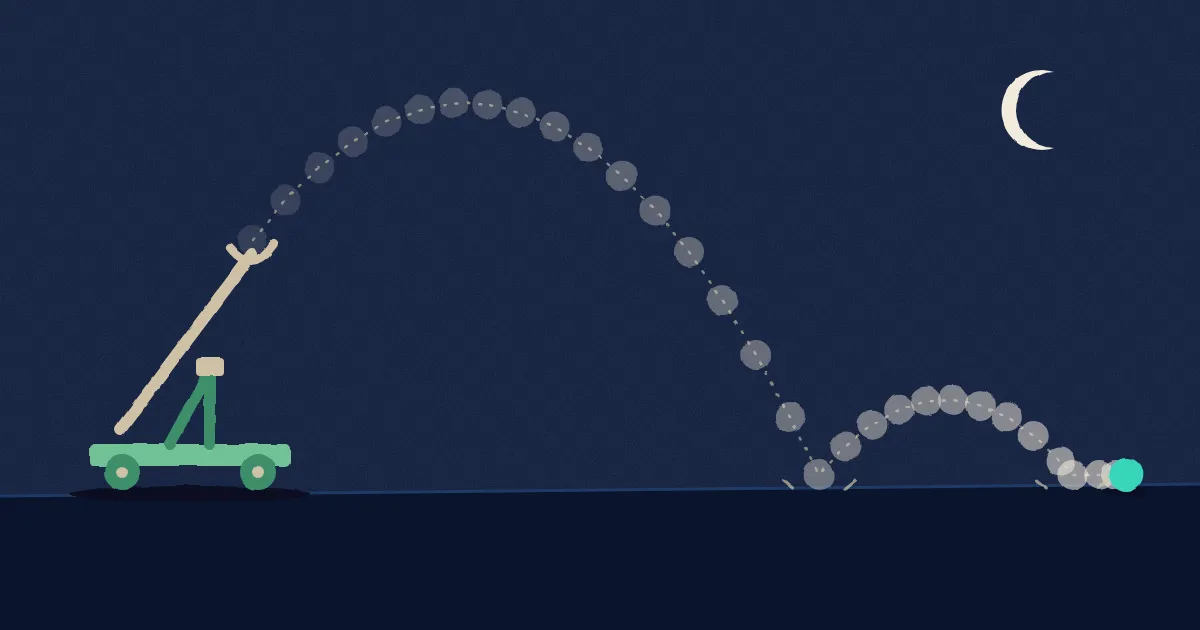
Physics2D and PhysicsProps are two GSAP plugins that move elements with simple physics: given a velocity, an angle, gravity or friction, GSAP moves the element from there, with no end value to work out. The docs set the scope: Physics2D is not meant to replace a full-blown physics engine and does not offer collision detection.
Throwing something up and letting it fall, or making a piece spin and slowly lose speed, would otherwise mean working out by hand where everything ends up. This post's demo is a catapult that throws a ball at a tower of blocks: the flight, the fall of each block and its spin come from a velocity, an angle and gravity. The only thing worked out in code is the moment of the hit.
This post is part of the GSAP series: licensing and setup live in the hub, and matchMedia, gsap.context and gsap.utils.random() in post 2. Slowing down something the user lets go of after a drag is a job for Inertia (post 8); Physics2D launches without one. Both plugins have been free since 3.13, and with GSAP 3.15.0 three tags are enough:
<script src="https://unpkg.com/gsap@3.15.0/dist/gsap.min.js"></script>
<script src="https://unpkg.com/gsap@3.15.0/dist/Physics2DPlugin.min.js"></script>
<script src="https://unpkg.com/gsap@3.15.0/dist/PhysicsPropsPlugin.min.js"></script>
<script>
  gsap.registerPlugin(Physics2DPlugin, PhysicsPropsPlugin);
</script>
Physics2D: the minimum
The minimal example in the Physics2DPlugin docs launches an element up and to the right:
// Assumes a #ball element on the page.
gsap.to("#ball", { duration: 2, physics2D: { velocity: 300, angle: -60, gravity: 400 } });
The angle is in degrees: 0 points right and -90 points up, because on screen y grows downward. Velocity is in pixels per second, and there is no end value: nothing says where it stops; the physics decides.
The options
gravityis how much downward speed it gains each second (px/s²). The alternative isacceleration, also in px/s², which pushes towardaccelerationAngle; gravity is the same thing at 90°. Never both.frictionis how much it brakes on each step, from 0 (none) to 1 (it stops dead). The docs suggest starting with very small values like 0.02 and warn that friction needs more processing.xProp: "left"andyProp: "top"moveleftandtopinstead of usingtransform.
How it calculates, and why it ignores the ease
In the Physics2DPlugin 3.15.0 source, without friction the position comes from a closed formula, start + velocity · t + ½ · acceleration · t², where t is the tween's real time, before any ease is applied. That is why the ease doesn't change the flight and seeking to any moment works. At t = 1 s, the example above lands on x 150, y -59.8, both with ease: "none" and with "power4.in".
With friction, it simulates 30 steps per second; on each one it adds the acceleration, then multiplies the velocity by 1 - friction. So a fall with friction stops speeding up and drops at a steady speed, like a sheet of paper.
PhysicsProps: physics for any property
PhysicsProps applies the same idea to any numeric property, one by one and with no end value. Per its docs, velocity is in the property's own units per second; their example moves x and y with different settings:
// Assumes a #box element on the page.
gsap.to("#box", {
  duration: 2,
  physicsProps: { x: { velocity: 100, acceleration: 200 }, y: { velocity: -200, friction: 0.1 } }
});
In the demo it spins each block with a little friction, and slows the ball down as it rolls along the ground.
Rewind and seek
The docs put it simply: everything is reversible. In a timeline, reverse() (post 3) sends each element back along the same path. And progress() always gives the same position for the same moment, friction included, because going backward the source recalculates from the start. Three passes through 0.5, with jumps to 1 and 0.2 in between, land on the same spot.
The parameters are not meant to change mid-flight: a new velocity or angle takes a new tween.
The demo: the hit is worked out
Without friction, a Physics2D flight is a formula: x = x0 + vx · t. Given where the tower stands, the time of the hit follows, and at that moment a timeline label launches the blocks, each with its own velocity, angle and spin. Each block's fall time comes from the same formula in y:
// Assumes an SVG with #shot (a circle of radius 9 at 0,0) and .block rects centered on 0,0, placed with gsap.set and transformOrigin: "50% 50%".
const x0 = 165, y0 = 103.4, towerX = 420, groundY = 235;
const shot = { velocity: 380, angle: -48, gravity: 750 };
const rad = (deg) => deg * Math.PI / 180;
// GSAP does not detect collisions: the hit is worked out from x = x0 + vx * t.
const tHit = (towerX - 9 - x0) / (shot.velocity * Math.cos(rad(shot.angle)));
// Time for a block's center to reach groundY: solve y + vy * t + gravity / 2 * t^2 = groundY.
const tLand = (y, vy) => (-vy + Math.sqrt(vy * vy + 2 * shot.gravity * (groundY - y))) / shot.gravity;
gsap.set("#shot", { x: x0, y: y0 });
const tl = gsap.timeline();
tl.to("#shot", { duration: tHit, physics2D: shot }).addLabel("hit");
gsap.utils.toArray(".block").forEach((el, i) => {
  const velocity = 150 + 30 * i, angle = -40;
  tl.to(el, {
    duration: tLand(gsap.getProperty(el, "y"), velocity * Math.sin(rad(angle))),
    physics2D: { velocity, angle, gravity: shot.gravity },
    physicsProps: { rotation: { velocity: 300, friction: 0.02 } }
  }, "hit");
});
At t = 0.967 s, the right edge of the ball touches the tower (x 420) and the blocks fly. The demo's message says 1.27 s because it also counts the 0.3 s the arm takes to release the ball. An ease on the ball's tween does not move the hit point. The demo adds the ball's bounce, after which it rolls and PhysicsProps slows it down.
The math assumes the ball reaches the tower in the air: with the tower at x 700, the computed hit lands at y 1124, below the ground; with the tower behind the catapult, tHit comes out negative, and with a straight-up shot the duration blows up. In SVG, the blocks need transformOrigin: "50% 50%": without it they spin around a corner.
Resetting with nothing left behind
The ball and the 8 blocks exist from the moment the demo starts, and launching creates no nodes. Reset calls tl.kill() and puts everything back with gsap.set, and Launch resets before it fires. After a launch, a reset mid-flight or ten presses in a row, no tween is left alive and no node is left over.
Reduced motion and accessibility
Nothing starts by itself. With reduced motion, Launch jumps to the end with tl.progress(1): the tower shows up knocked down, in the same spot as with the animation, and the text says so: "Tower down (final state with no animation for reduced motion)". gsap.matchMedia() (post 2) handles the split, so the demo meets success criterion 2.3.3 of WCAG 2.2 (AAA): motion triggered by an interaction can be turned off.
The svg has role="img" and an aria-label that follows the state. The buttons are native, and a paragraph with aria-live="polite" announces the result, which also shows on screen. No custom keys, as in post 9.
Common mistakes
- Setting an
easeand expecting the flight to change. Physics properties ignore it (the eases from post 4 too). gravityandaccelerationtogether. There is no error:gravitywins andaccelerationdoes nothing.- Forgetting the angle's sign. 60 goes down and to the right.
FAQ
Can the ball bounce off the floor?
Physics2D does not detect the floor. The demo works out when the ball reaches the floor and starts another tween there; many collisions between pieces take a physics engine.
Why does the ease do nothing?
Because physics drives these properties: the docs say the ease is ignored.
Conclusion
This post's approach: Physics2D to launch things, PhysicsProps for everything else, low friction, and the hits worked out in advance.
The rest of the series lives in the hub and posts 2, 3, 4, 5, 6, 7, 8, 9, 10 and 11. What remains is the final tutorial: an animated landing page that uses it all.
References
- GSAP — Physics2DPlugin
- GSAP — PhysicsPropsPlugin
- GSAP — GSAP 3.13
- W3C — WCAG 2.2
Tags
Share this post
Subscribe
Get the latest posts delivered right to your inbox.



Leave a comment